Femur
Align the femoral shaft in AP and lateral views.
CT DRR · orthogonal pair
About this case
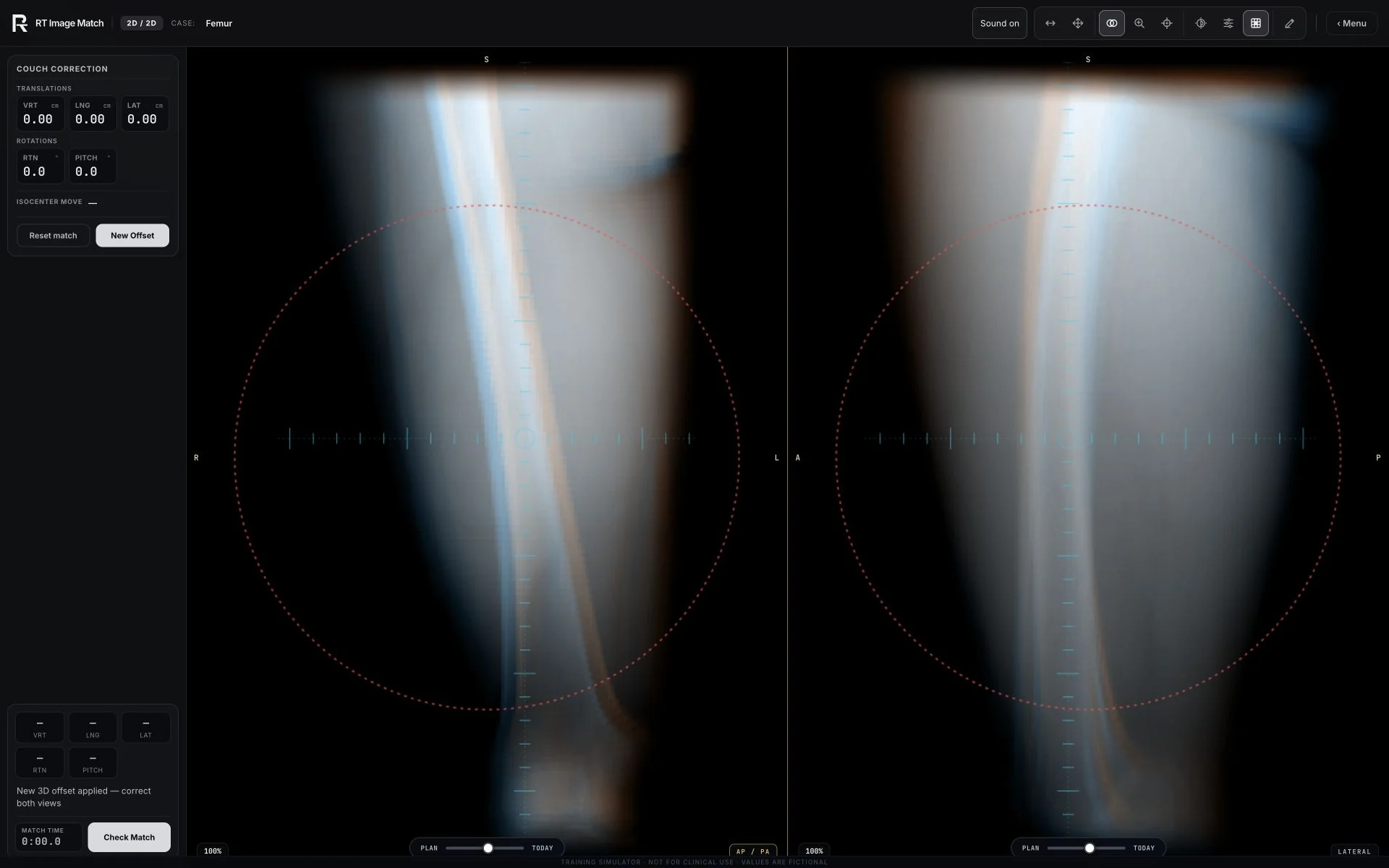
Line up the femoral shaft on AP + lateral DRRs of the thigh.
Recorded training view; setup values and overlays are educational.
Compare planning CT with daily images, apply the couch correction, and see it in the treatment room. Educational simulator, not for clinical use.

39 cases
Align the femoral shaft in AP and lateral views.
CT DRR · orthogonal pair
Line up the femoral shaft on AP + lateral DRRs of the thigh.
Recorded training view; setup values and overlays are educational.
Compare pelvic bony landmarks in AP and lateral views.
CT DRR · orthogonal pair
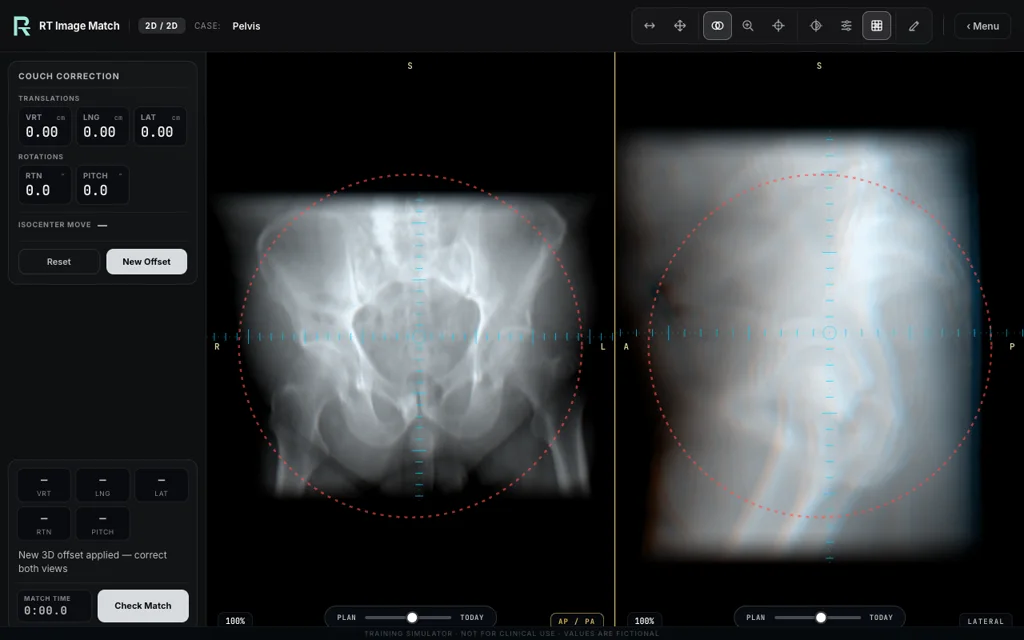
Compare the simulated anterior–posterior (AP) and lateral setup views with the CT-derived reference images, using pelvic bony landmarks.
Recorded training view; setup values and overlays are educational.
Align the chest image pair with the planning reference.
CT DRR · orthogonal pair
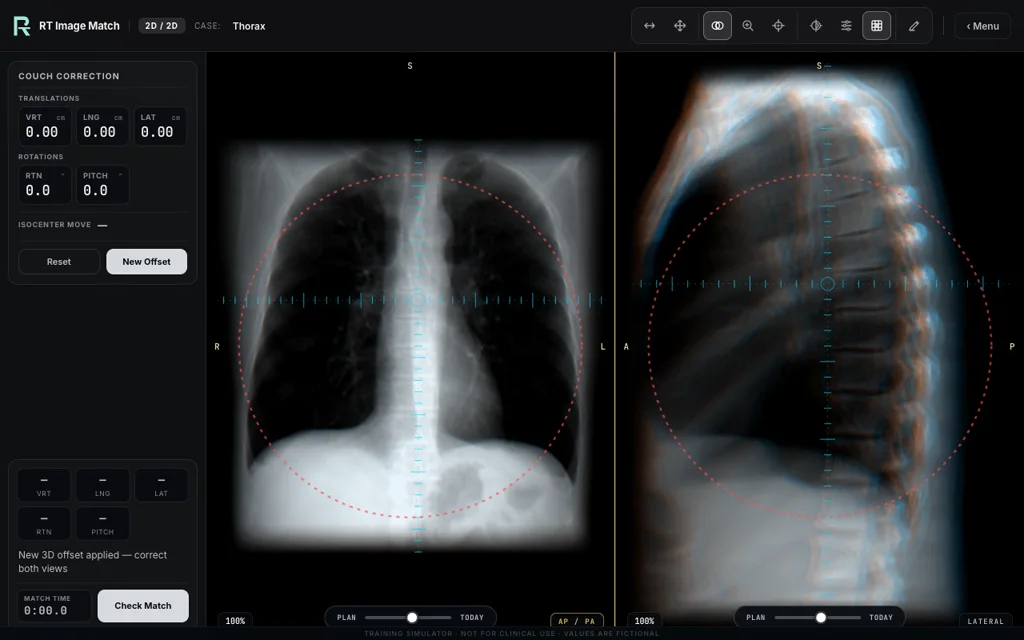
Register a chest orthogonal pair to the planning DRRs.
Recorded training view; setup values and overlays are educational.
Compare knee landmarks and check condylar overlap in the lateral view.
CT DRR · single joint
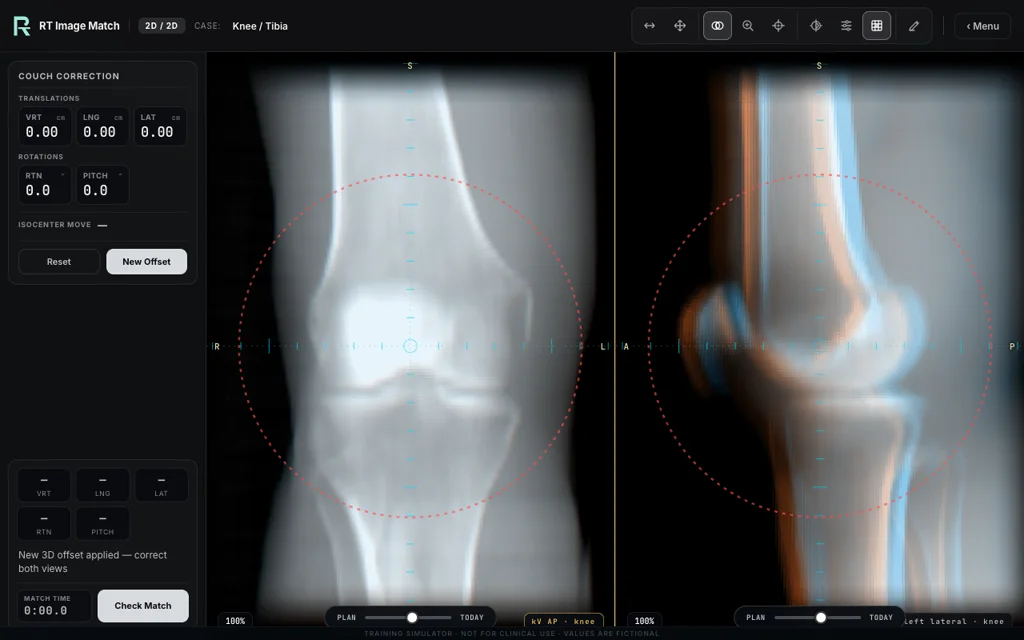
Compare the femoral condyles, patella, tibial plateau and fibular head in both views. Review condylar overlap in the lateral view as one alignment cue.
Recorded training view; setup values and overlays are educational.
Check lumbar alignment and vertebral level against pelvic landmarks.
CT DRR · orthogonal pair
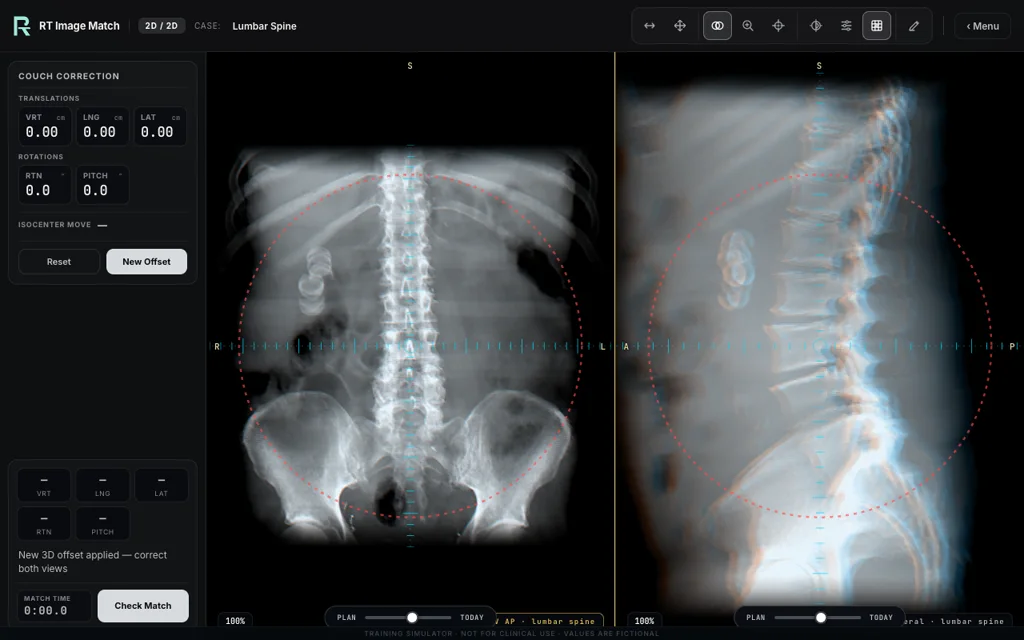
Match the lumbar column on AP + lateral DRRs, checking vertebral level against the iliac crests and sacral promontory.
Recorded training view; setup values and overlays are educational.
Compare the shoulder and upper ribs across both projections.
CT DRR · left shoulder
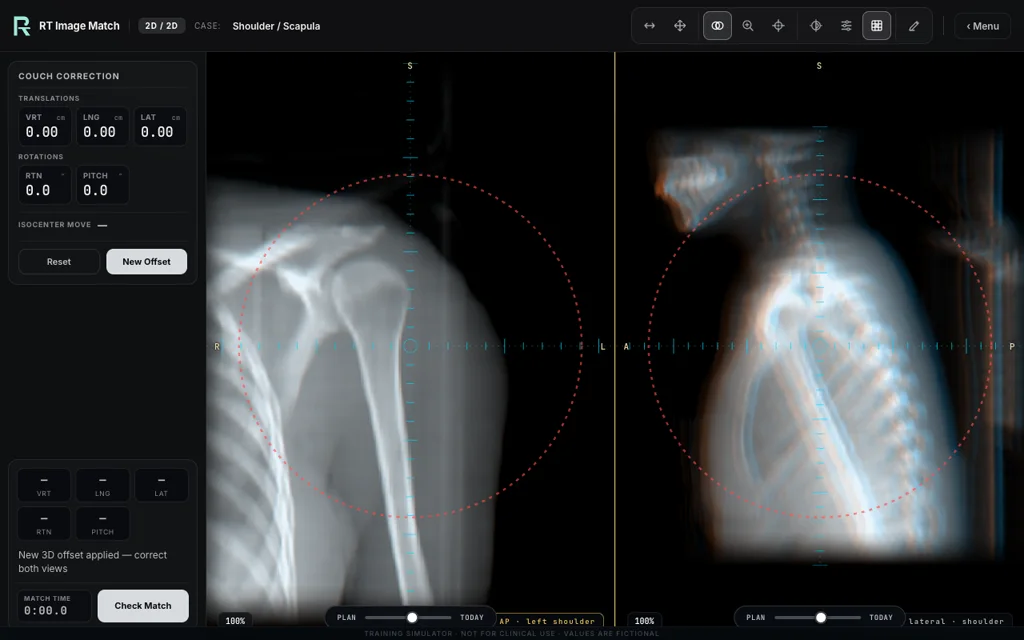
Balance the humeral head, glenoid, scapula, clavicle and upper ribs across AP + lateral projections.
Recorded training view; setup values and overlays are educational.
Use the prosthesis and pelvic landmarks to check alignment and rotation.
CT DRR · postoperative pelvis
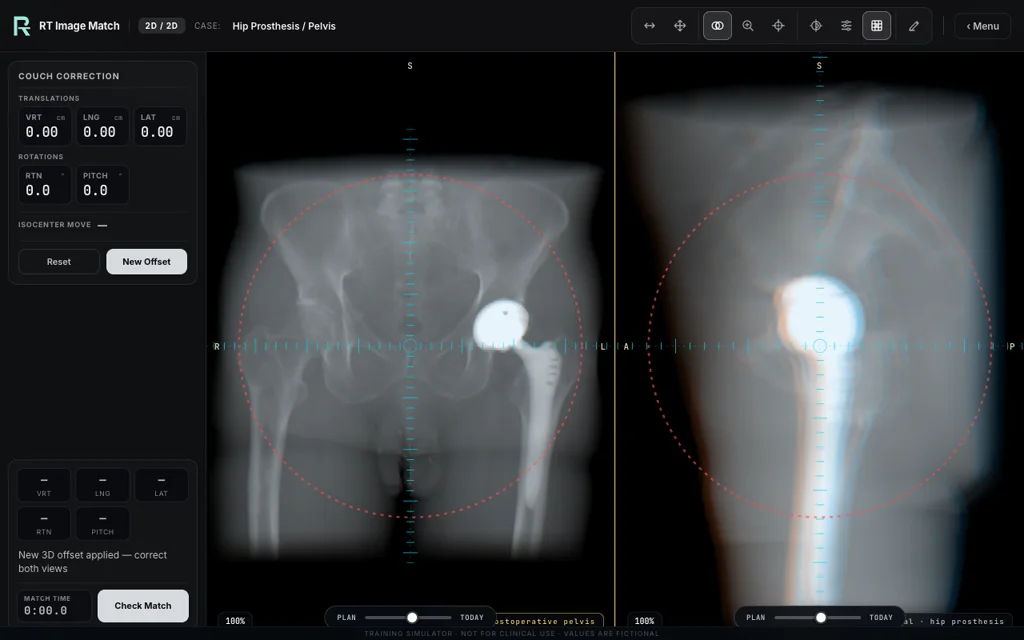
Use the hip replacement as a strong landmark, then confirm the sacrum, symphysis, contralateral hip and pelvic rotation.
Recorded training view; setup values and overlays are educational.
Compare the lumbar spine, lower ribs and pelvic landmarks in both views.
CT DRR · compact anatomy
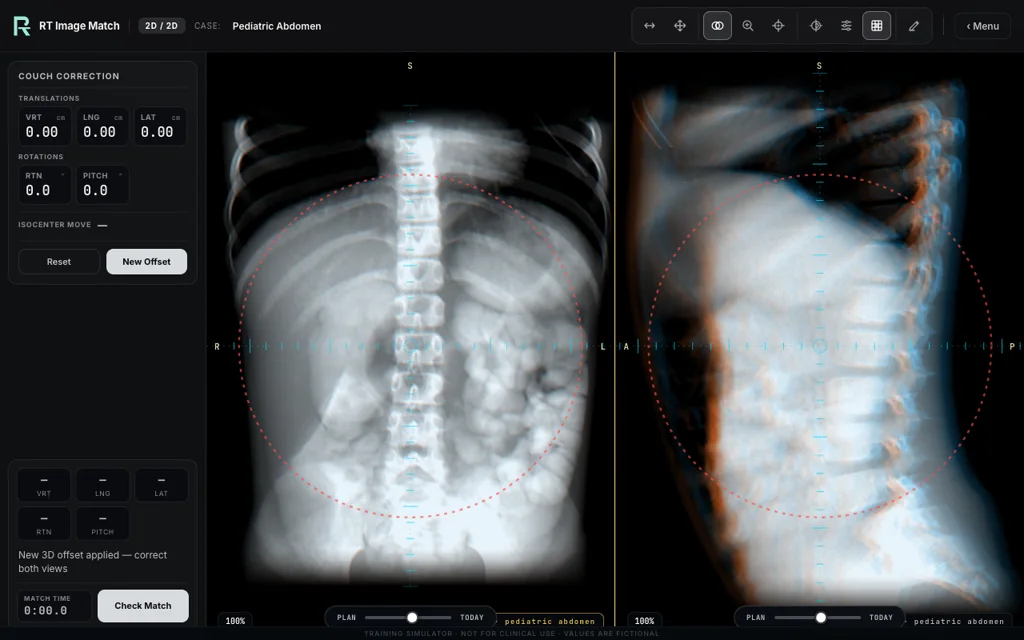
Match the lumbar vertebrae, lower ribs, sacrum and pelvic brim on a high-resolution pediatric orthogonal pair.
Recorded training view; setup values and overlays are educational.
Check the spinal construct, vertebral levels and adjacent end plates.
CT DRR · pedicle screws + rods
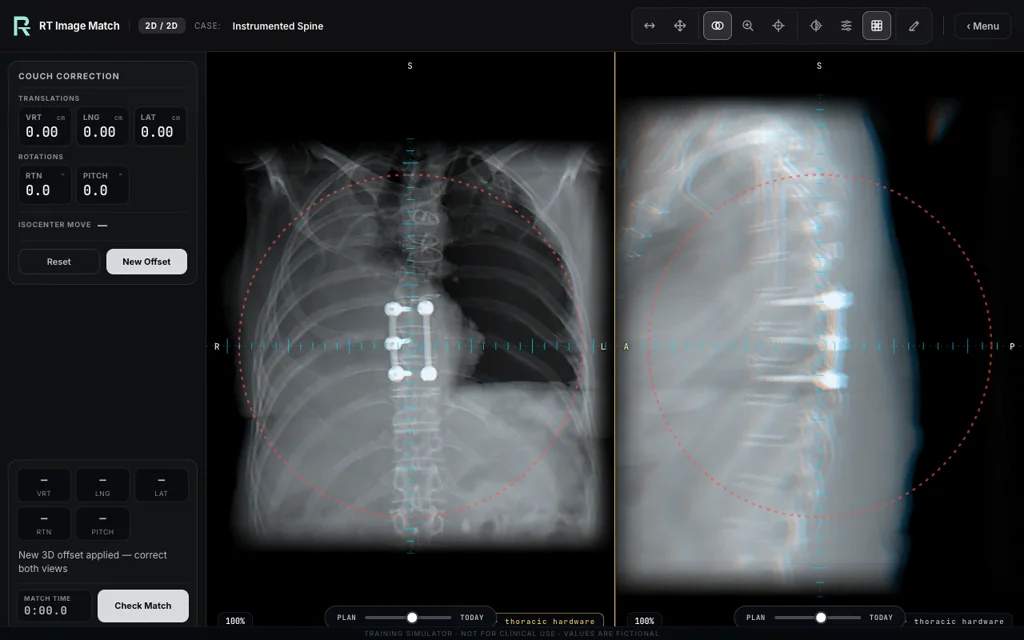
Use the thoracic construct as a landmark, then verify the instrumented vertebral levels and adjacent end plates.
Recorded training view; setup values and overlays are educational.
Match the supraclavicular and tangent fields at their shared isocentre.
Mono-isocentric fields · baked MLC
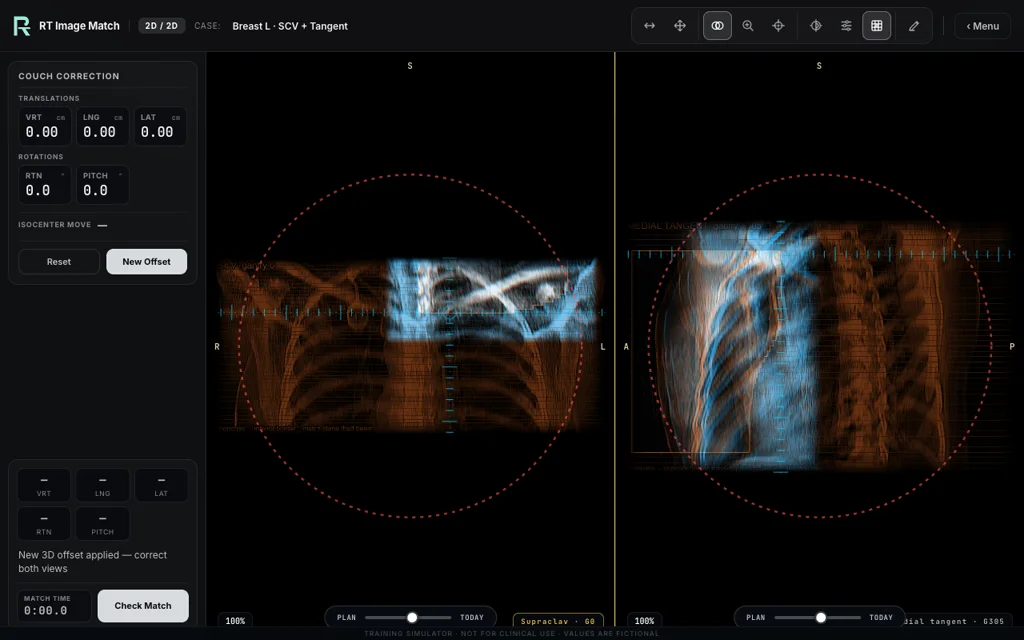
Match the supraclavicular and medial-tangent fields at their shared isocentre using the original field-shaped reference images.
Recorded training view; setup values and overlays are educational.
Align the three-marker guide with gold fiducials in both views.
kV · fiducial match
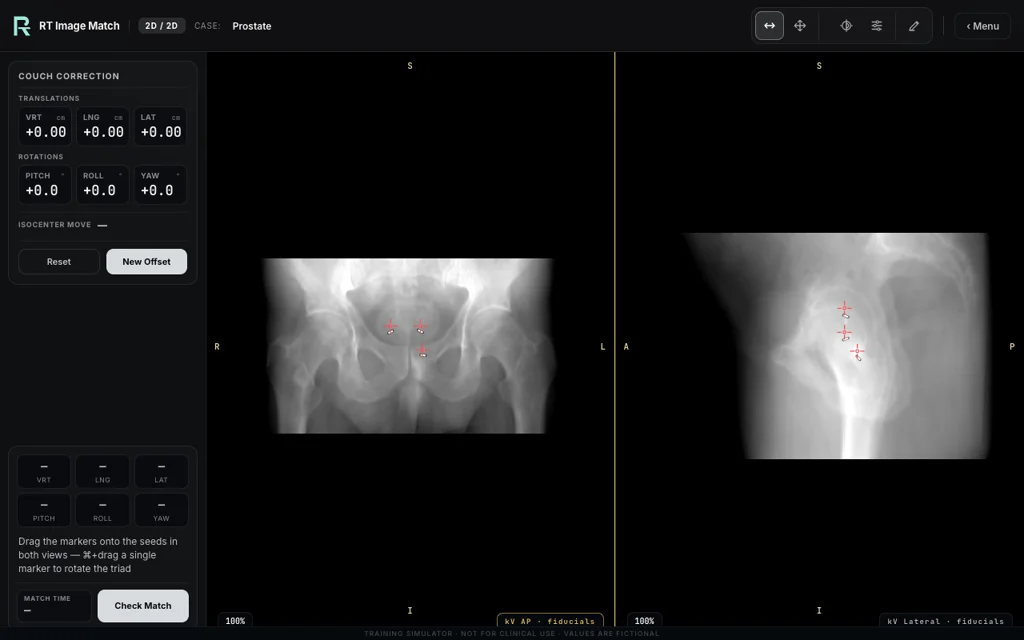
Align the three-marker guide with the gold fiducials in both simulated kV views.
Recorded training view; setup values and overlays are educational.
Compare cranial setup views with the planning reference images.
CT DRR · orthogonal pair
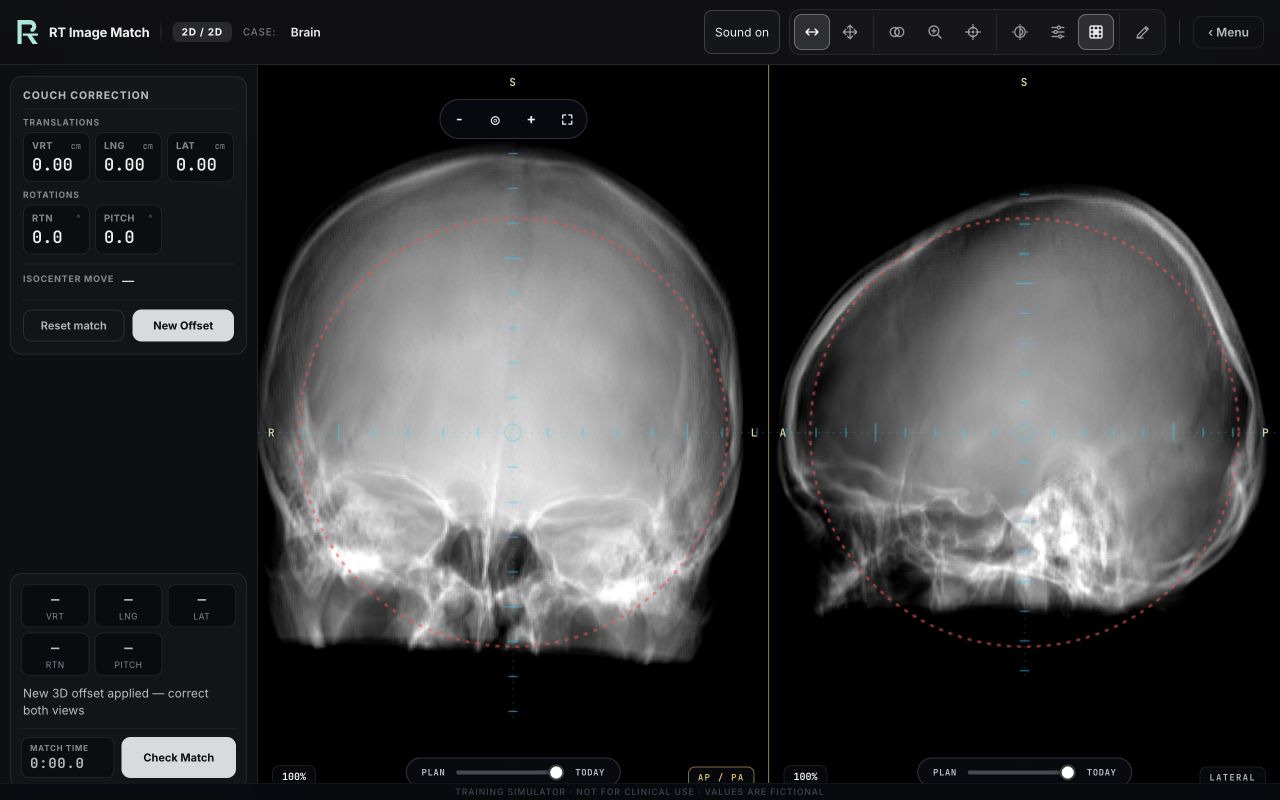
Align the simulated orthogonal kV views with the planning reference DRRs for a cranial setup.
Actual trainer view with research-derived anatomy and fictional setup values. Educational use only.
Compare cervical spine, mandible and skull-base landmarks.
CT DRR · orthogonal pair
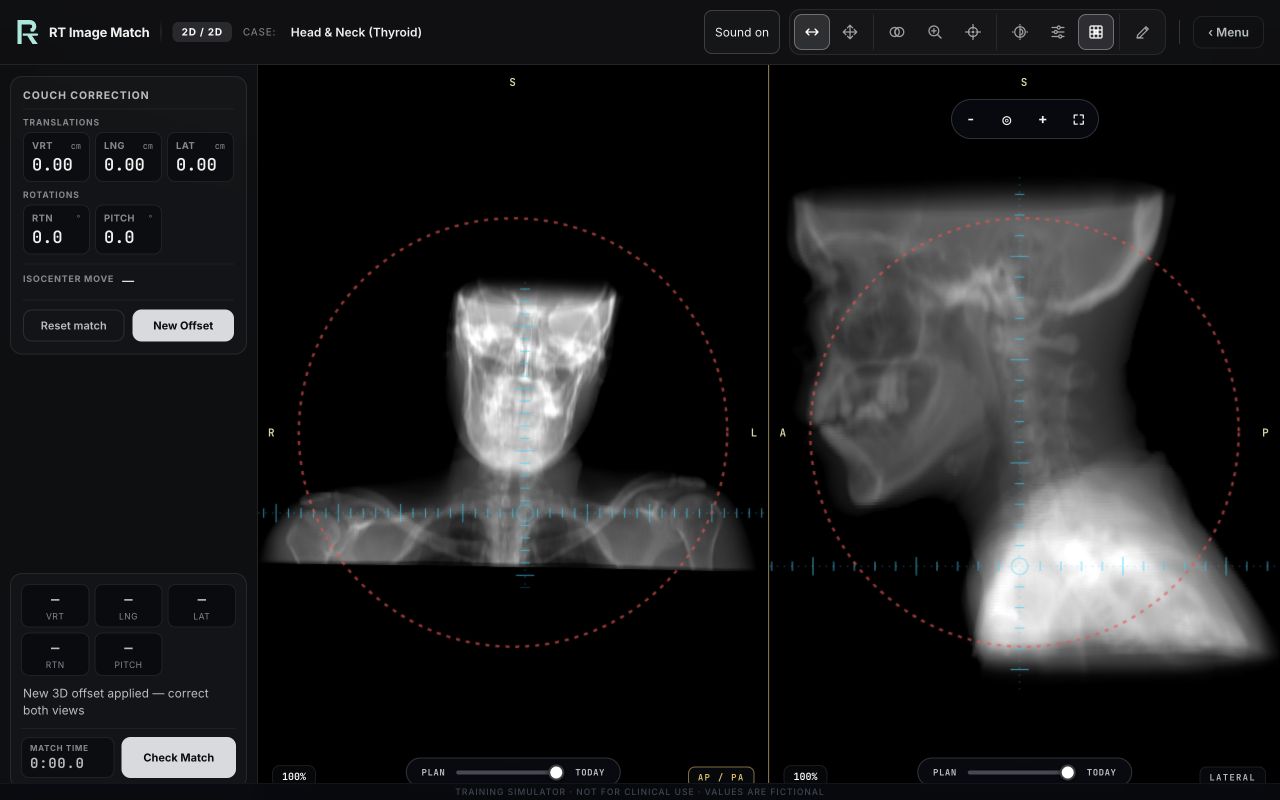
Align the thyroid head-and-neck CT on AP + lateral DRRs — cervical spine, mandible and skull-base bony match.
Actual trainer view with research-derived anatomy and fictional setup values. Educational use only.
Compare the uterine lesion and pelvic soft tissue with synthetic teaching contours.
CBCT · source uterine lesion · rigid 6DOF · synthetic CTV/PTV
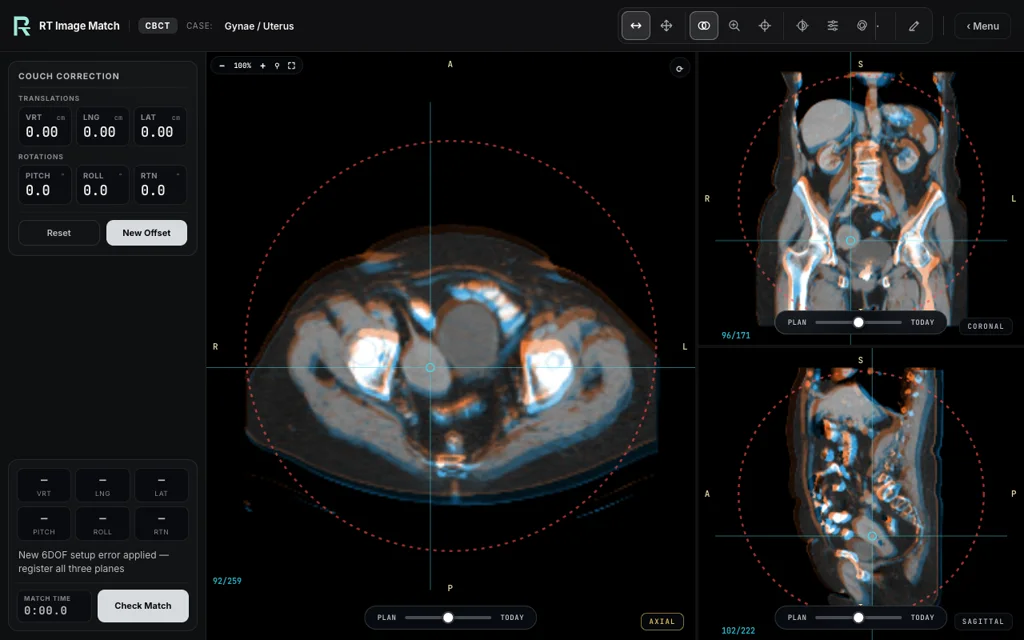
Register the source uterine lesion annotation and surrounding pelvic soft tissue in all six degrees of freedom; compare the fixed synthetic CTV/PTV teaching contours.
Recorded training view; setup values and overlays are educational.
Align the source cervical tumour and compare geometric teaching margins.
CBCT · source tumour · synthetic margin aids
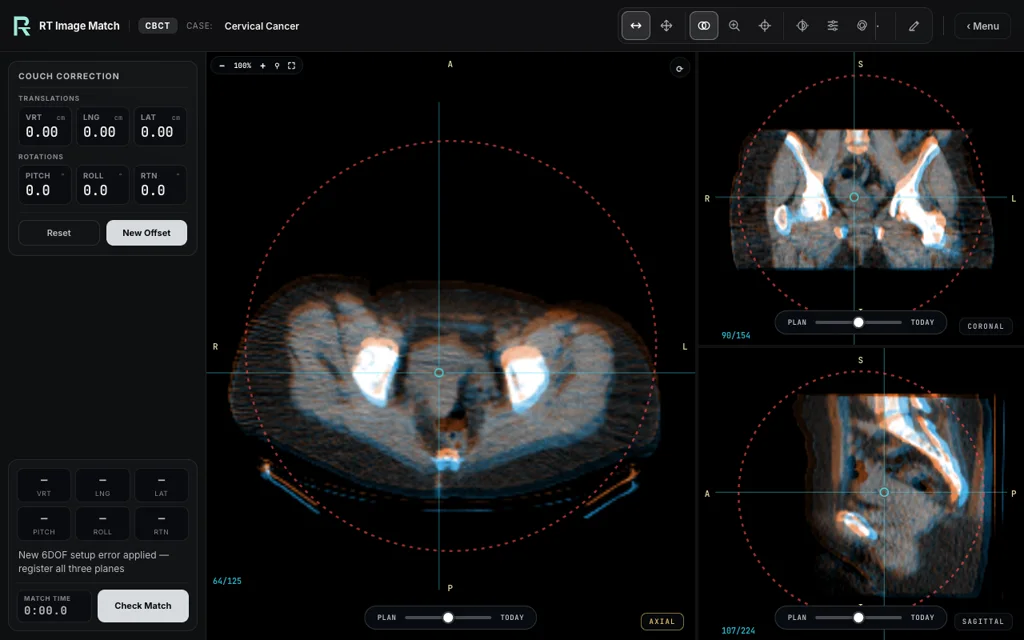
Register the source cervical tumour mapped from T2 MRI and compare clearly labelled +5 mm / +10 mm geometric teaching contours.
Recorded training view; setup values and overlays are educational.
Review the left-breast images and contours in a six-degree-of-freedom match.
CBCT · 6DOF
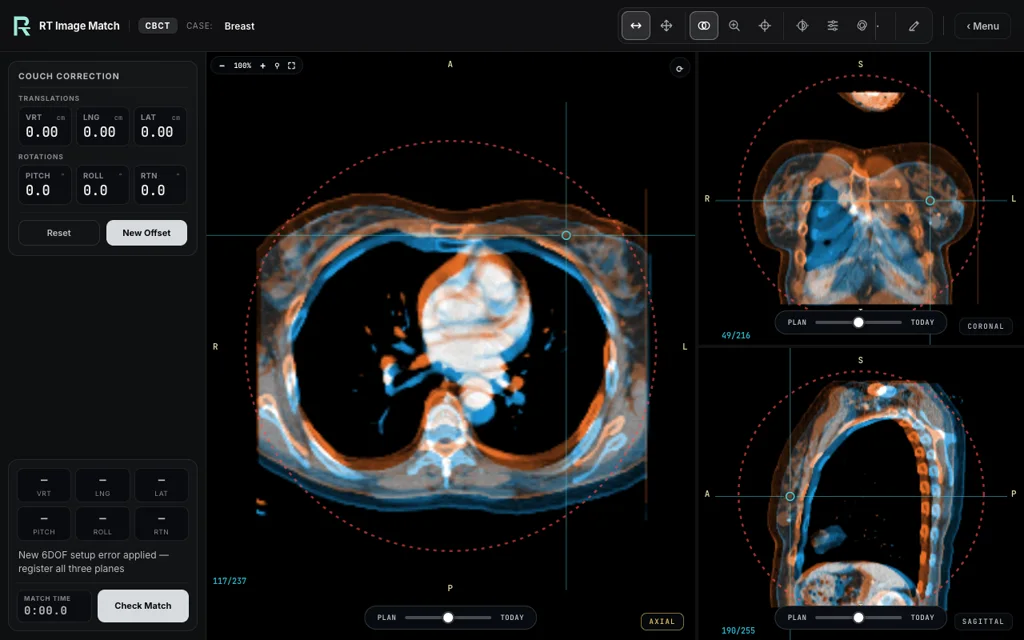
Practise six-degree-of-freedom registration of a left-breast volume, reviewing the images and displayed contours.
Recorded training view; setup values and overlays are educational.
Compare the lesion and thoracic anatomy in three planes with a simulated setup error.
single planning 4DCT · exact-reference rigid 6DOF match
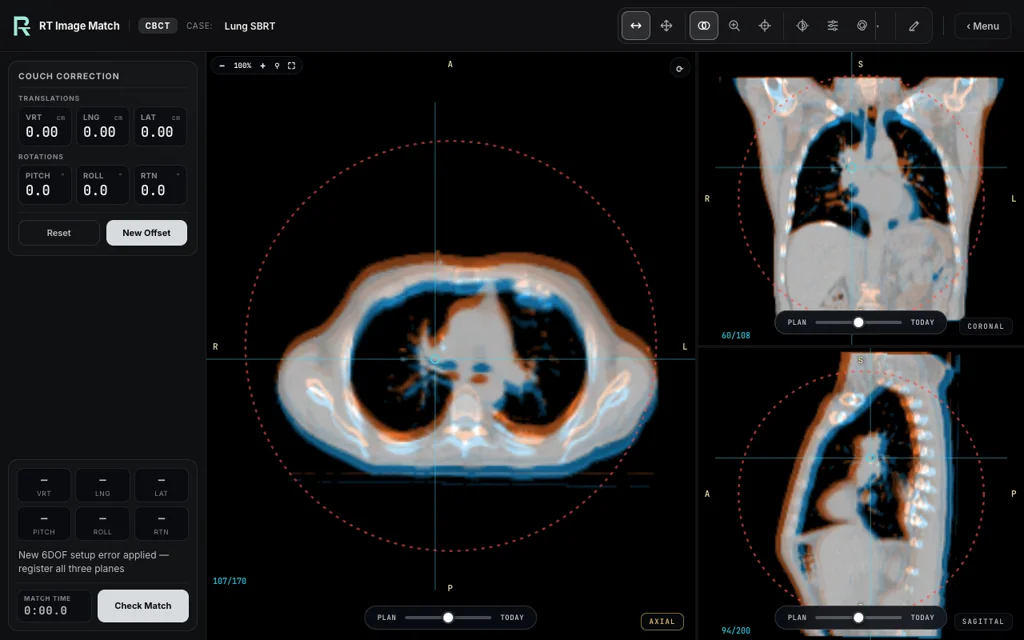
Plan and Today use the same end-exhalation CT phase, with a simulated setup error applied to Today. Review the lesion and surrounding thoracic anatomy in three planes; scoring compares your correction with the simulator’s known setup.
Recorded training view; setup values and overlays are educational.
Compare lymph nodes, mediastinum and thoracic skeleton in three planes.
CBCT · source nodes · rigid 6DOF · synthetic margin aids
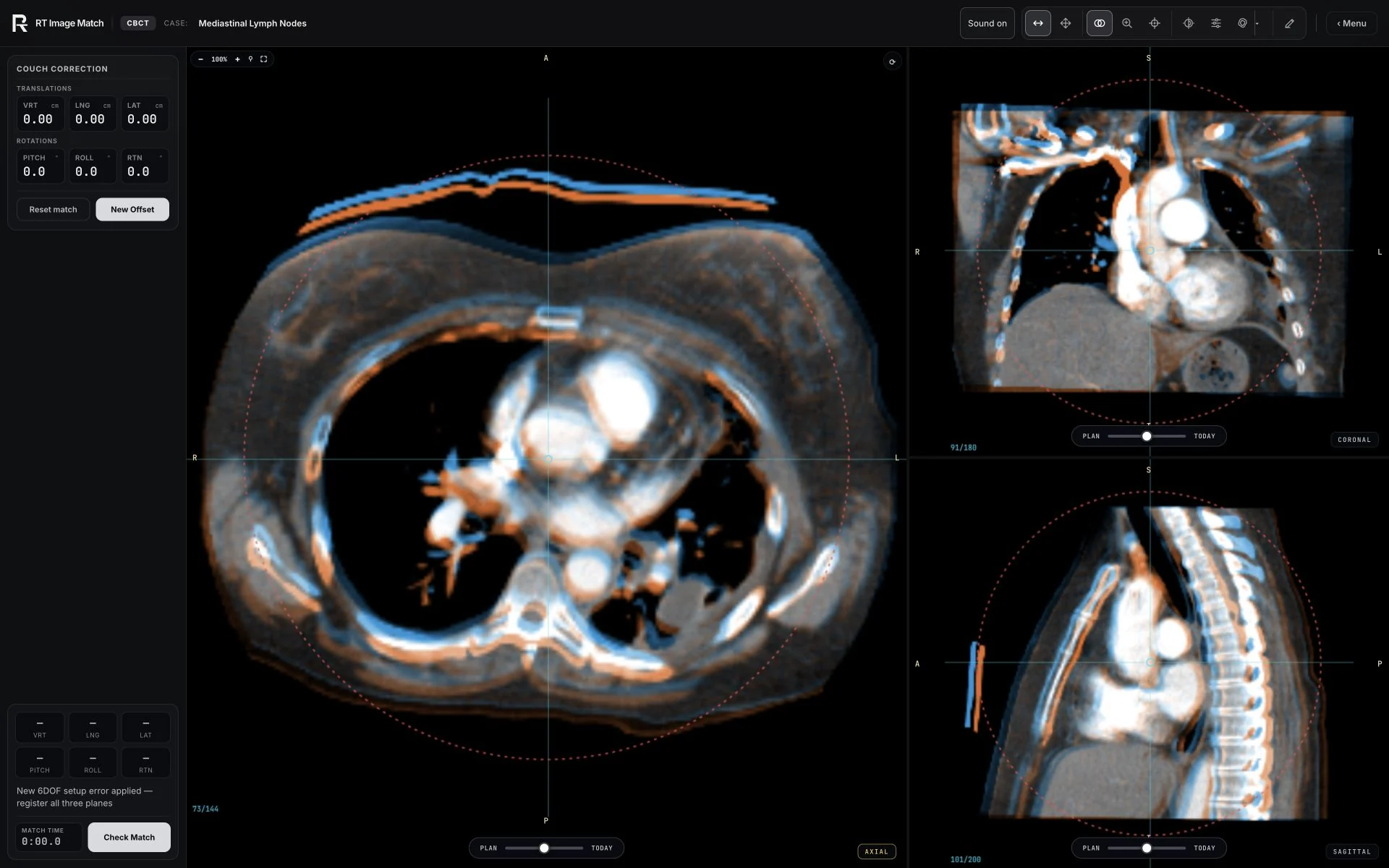
Compare the annotated lymph nodes, mediastinum and thoracic skeleton in three planes. Contours expanded by 5 mm and 10 mm from the source annotations are geometric teaching aids.
Recorded training view; setup values and overlays are educational.
Align gold fiducials as simulated bladder filling moves the prostate relative to bone.
CBCT · gold fiducials
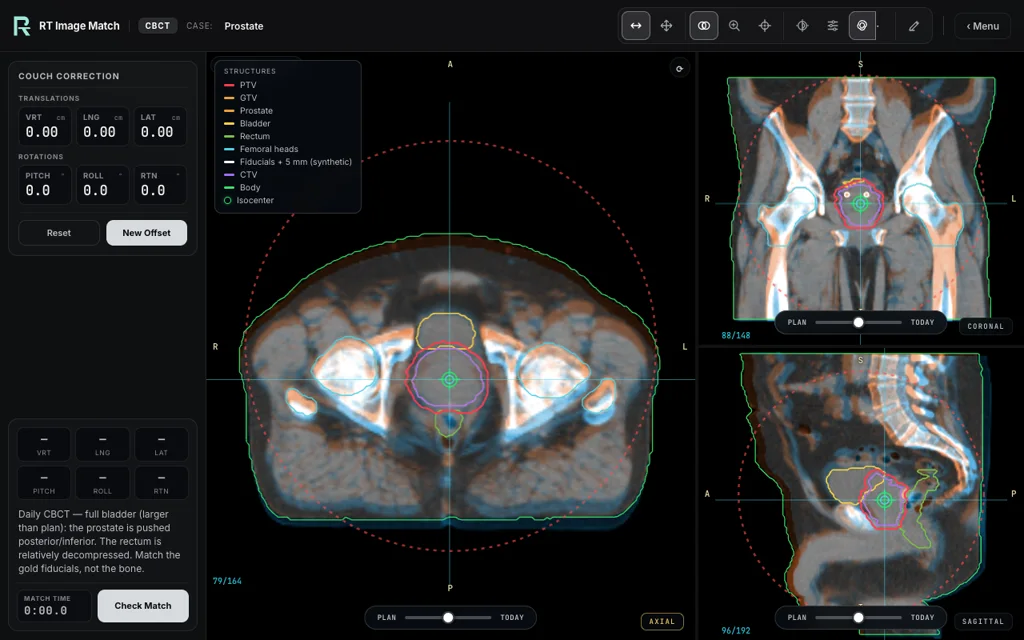
Align three gold fiducials while a simulated bladder-filling scenario moves the prostate relative to the pelvic bones.
Recorded training view; setup values and overlays are educational.
Compare the pancreas and nearby abdominal soft tissue in a breath-hold match.
CBCT · breath-hold abdomen
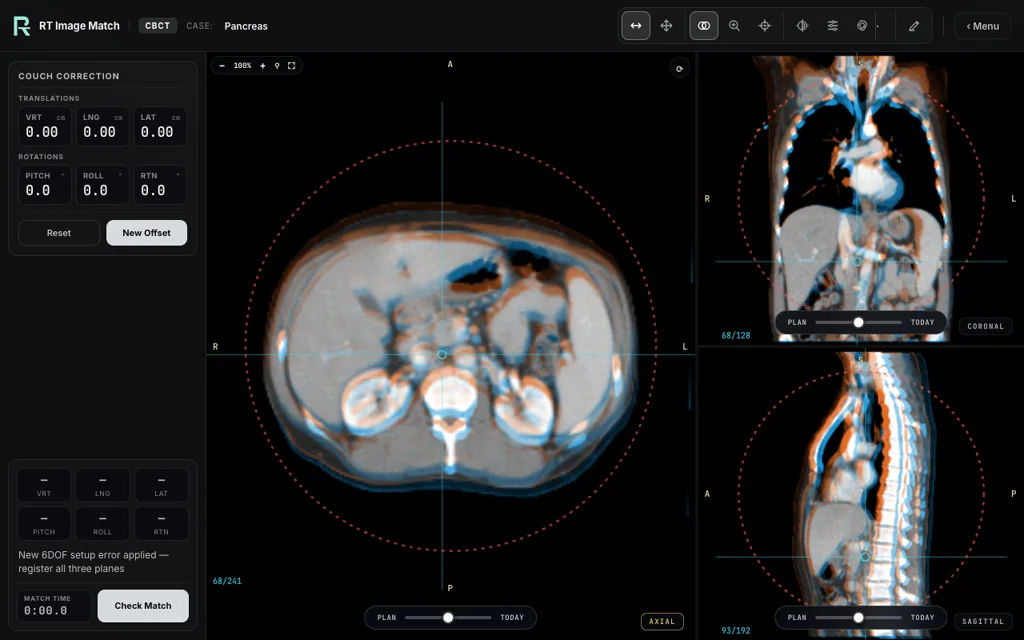
Breath-hold abdominal soft-tissue match around the pancreas and GI organs.
Recorded training view; setup values and overlays are educational.
Match a liver metastasis using soft-tissue detail on contrast imaging.
CBCT · liver metastasis
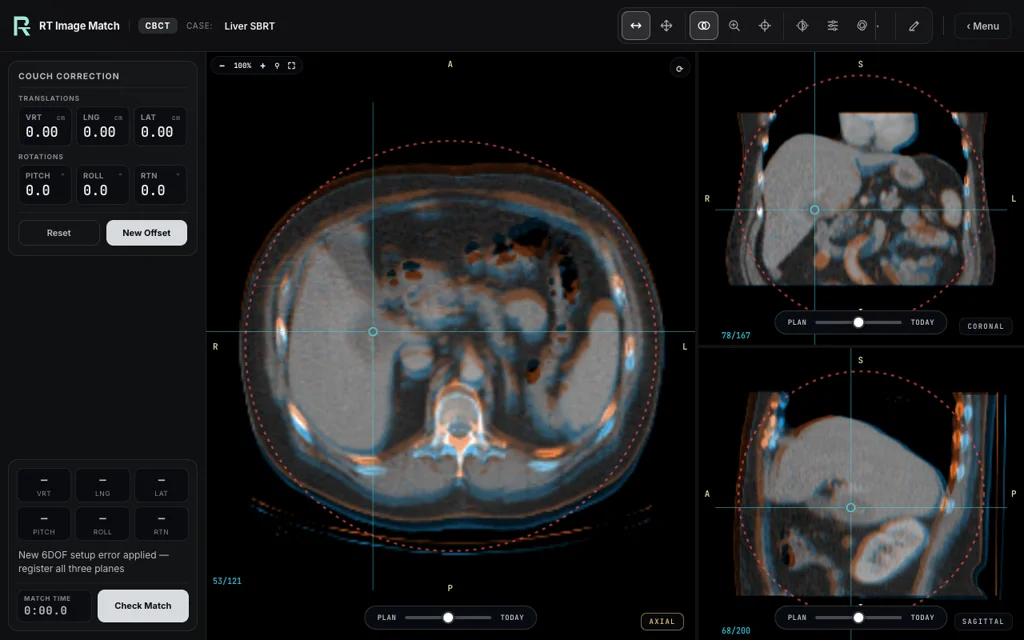
Soft-tissue SBRT match of a liver metastasis on contrast imaging.
Recorded training view; setup values and overlays are educational.
Compare the thigh tumour with the femur as a bony landmark.
CBCT · thigh · GTV match
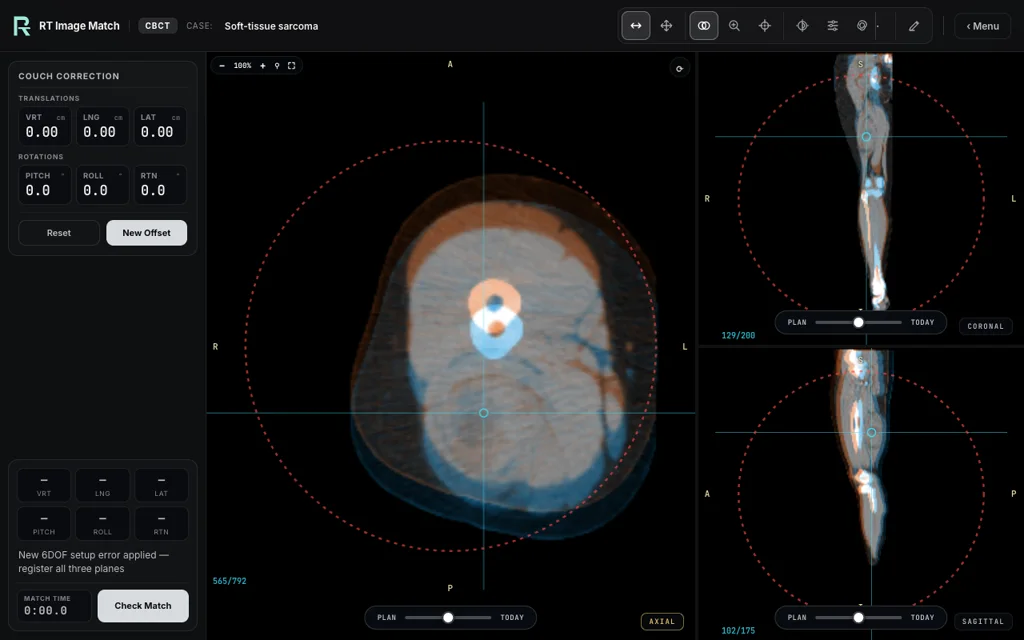
Match a thigh soft-tissue tumour, using the femur as the bony landmark.
Recorded training view; setup values and overlays are educational.
Align the adrenal mass, nearby tissue and vertebrae as one rigid anatomy set.
CBCT · source mass · rigid 6DOF · synthetic margin aids
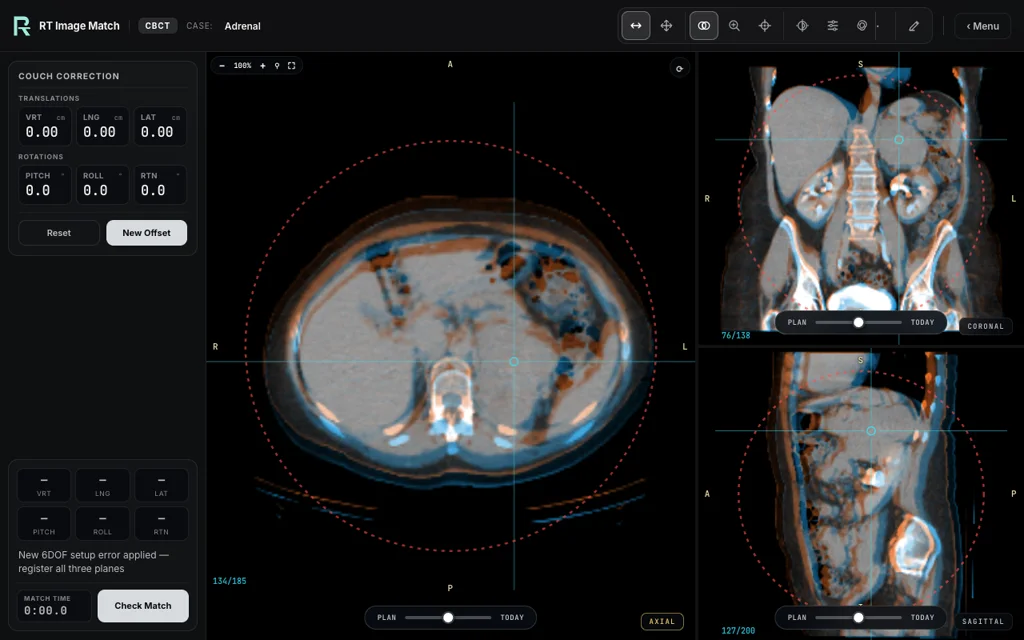
Register the source adrenal mass together with the nearby retroperitoneal tissue and vertebrae in a rigid 6DOF match.
Recorded training view; setup values and overlays are educational.
Compare the renal tumour, kidney texture and vertebrae in a rigid match.
CBCT · kidney · rigid 6DOF
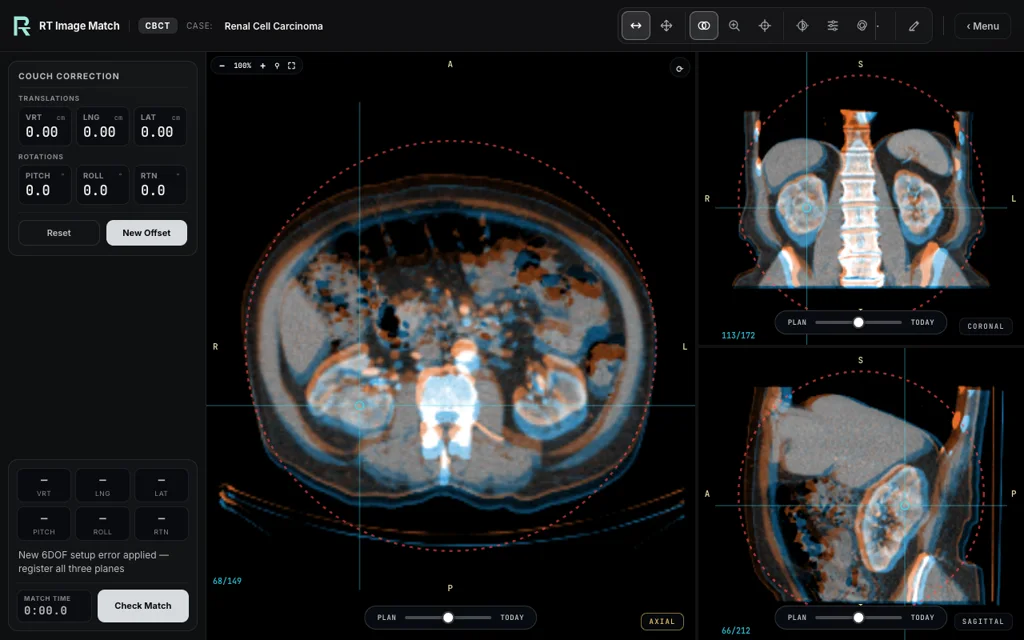
Register the right renal tumour, enhanced-kidney texture and vertebrae as one rigid anatomy set.
Recorded training view; setup values and overlays are educational.
Balance the abdominal organs, bladder and spine in the image match.
CBCT · organ registration · no target
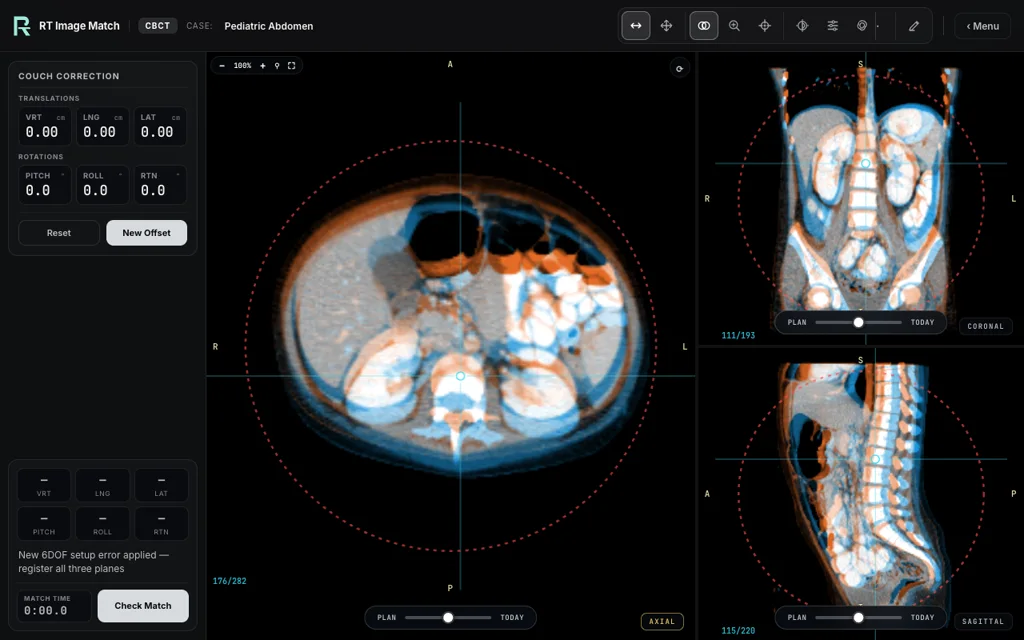
Balance the liver, kidneys, stomach, bladder and spine in a compact pediatric abdomen.
Recorded training view; setup values and overlays are educational.
Compare the esophageal lesion, nearby mediastinal tissue and thoracic skeleton.
CBCT · mediastinum · rigid 6DOF
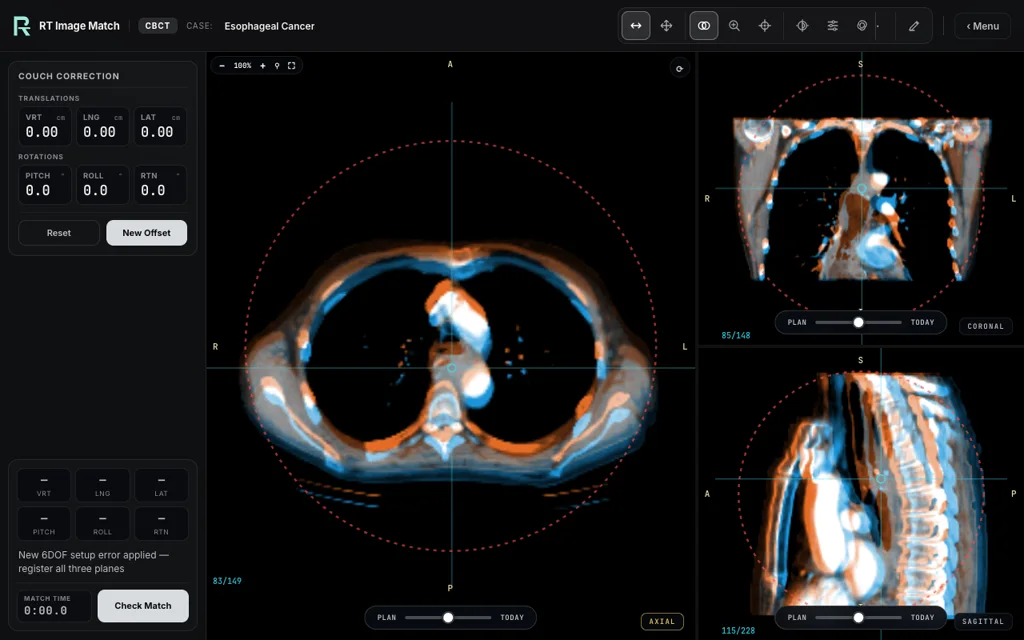
Compare the source esophageal lesion annotation with the nearby mediastinal tissue and thoracic skeleton. The synthetic expansions are fixed geometric teaching overlays.
Recorded training view; setup values and overlays are educational.
Use paired MR images to locate the clearly labelled synthetic teaching target.
MR · SRS · synthetic teaching PTV
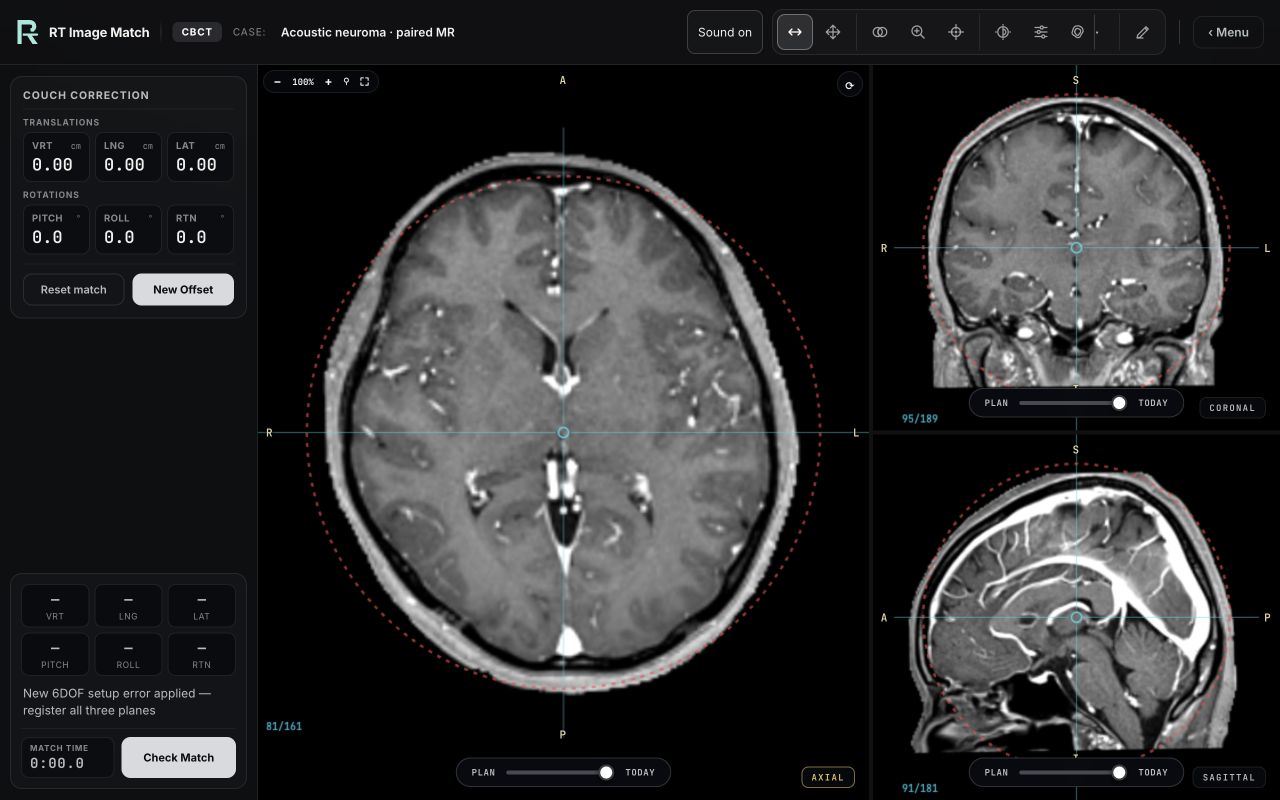
Use the paired CE-T1W planning view to localise a clearly labelled synthetic teaching PTV at the right IAC/CPA.
Actual trainer view with research-derived anatomy and fictional setup values. Educational use only.
Compare the enhancing cranial tumour and necrotic core on MR images.
MR · cranial · enhancing tumour
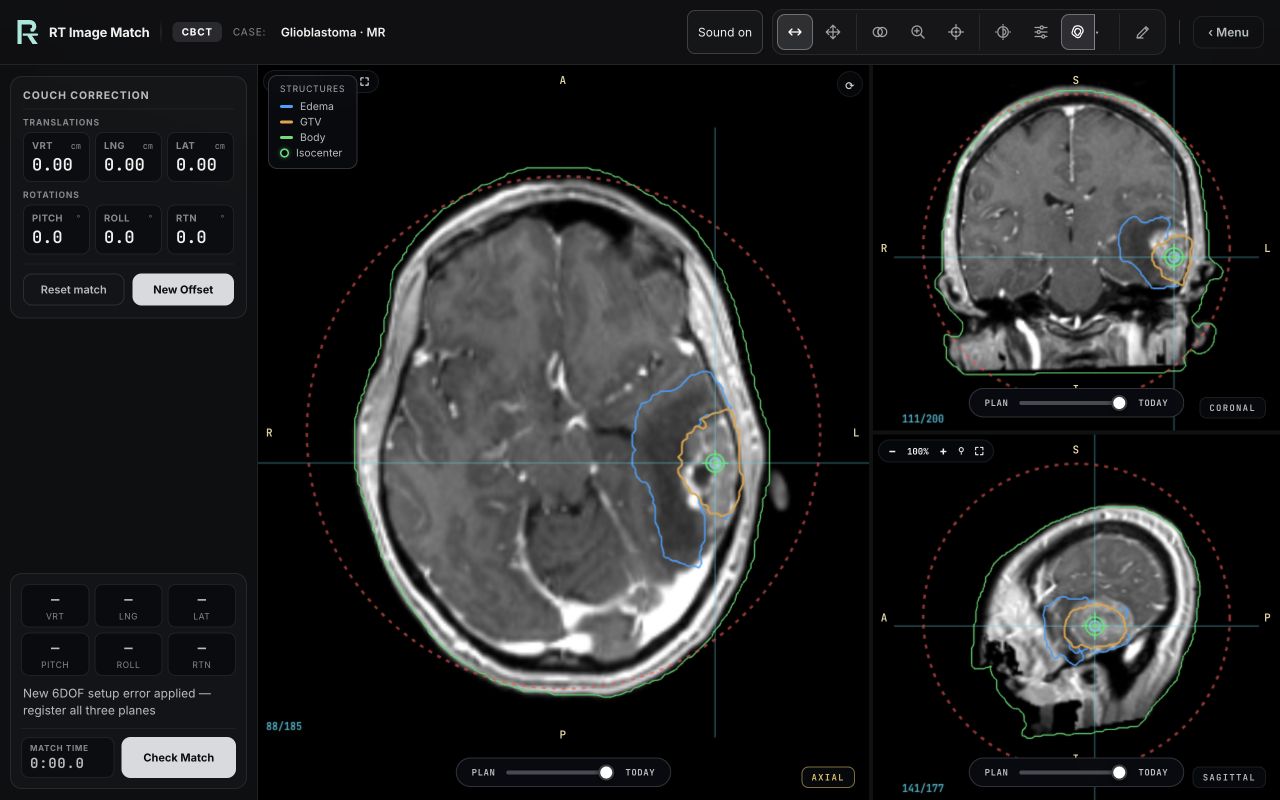
Cranial MR match on the enhancing tumour and necrotic core.
Actual trainer view with research-derived anatomy and fictional setup values. Educational use only.
Align the thyroid teaching volumes and surrounding lower-neck anatomy.
CBCT · research GTV/CTV/PTV · 6DOF
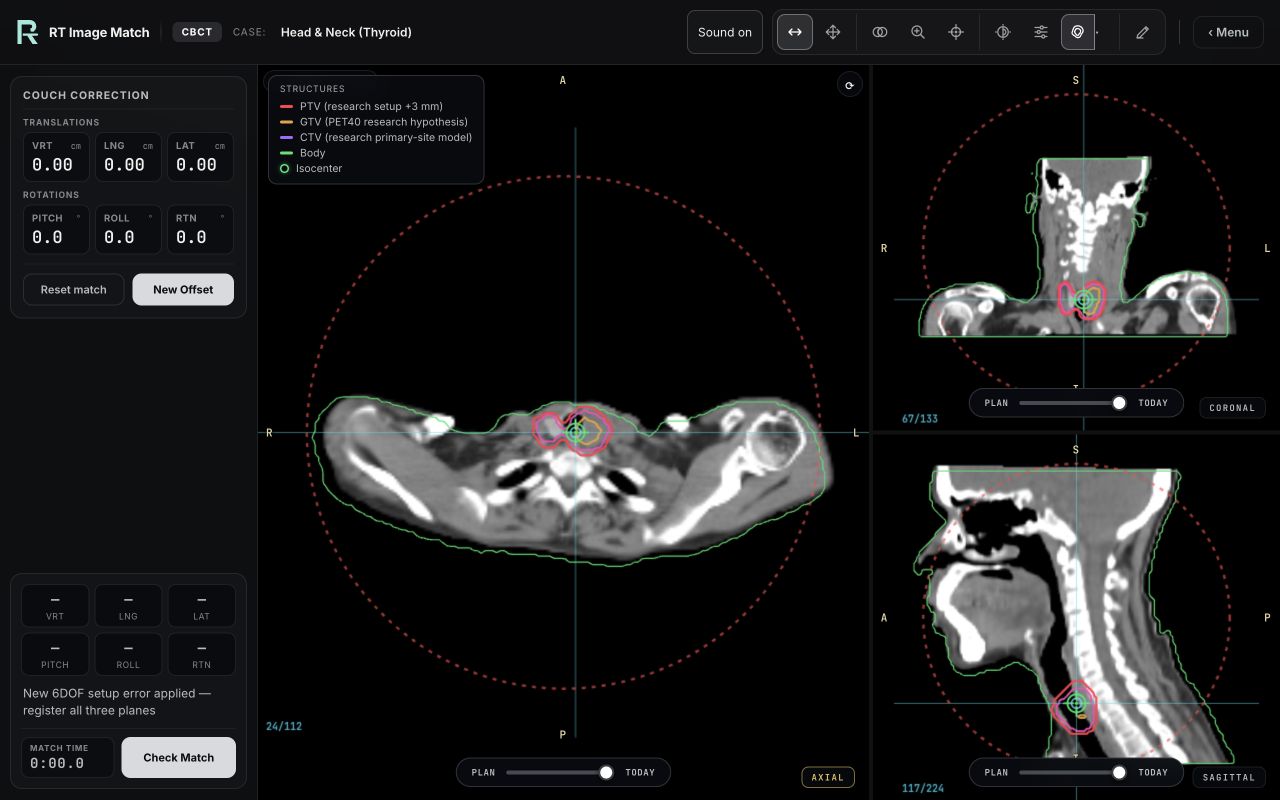
Explore nested thyroid teaching volumes (6.0 / 27.0 / 44.8 cc), including one connected PTV encompassing both lobes, then align the target and surrounding lower-neck anatomy. Simplified primary-site model; no nodal CTV.
Actual trainer view with research-derived anatomy and fictional setup values. Educational use only.
Practise prostate registration, fiducial verification and simulated delivery with monitoring.
CBCT → kV fiducial → treat
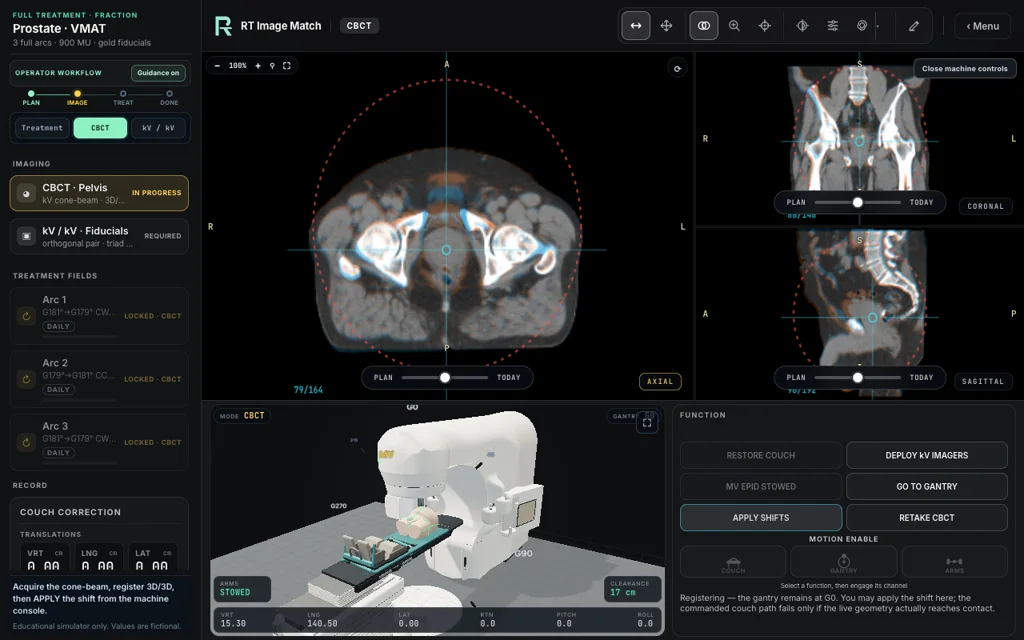
Review the interim prescription, then practise CBCT registration, kV fiducial verification and three full VMAT arcs with intrafraction monitoring. Matching dose and DVH are unavailable while the SBRT replacement is calculated.
Recorded Full Treatment CBCT matching with the linac in view, not a delivered treatment. The interim lesson uses three illustrative full VMAT arcs; matching dose and DVH are unavailable.
Review the conventional lung plan and complete the CBCT match before seven-field IMRT.
optional kV anatomy → 6DOF CBCT → treatment
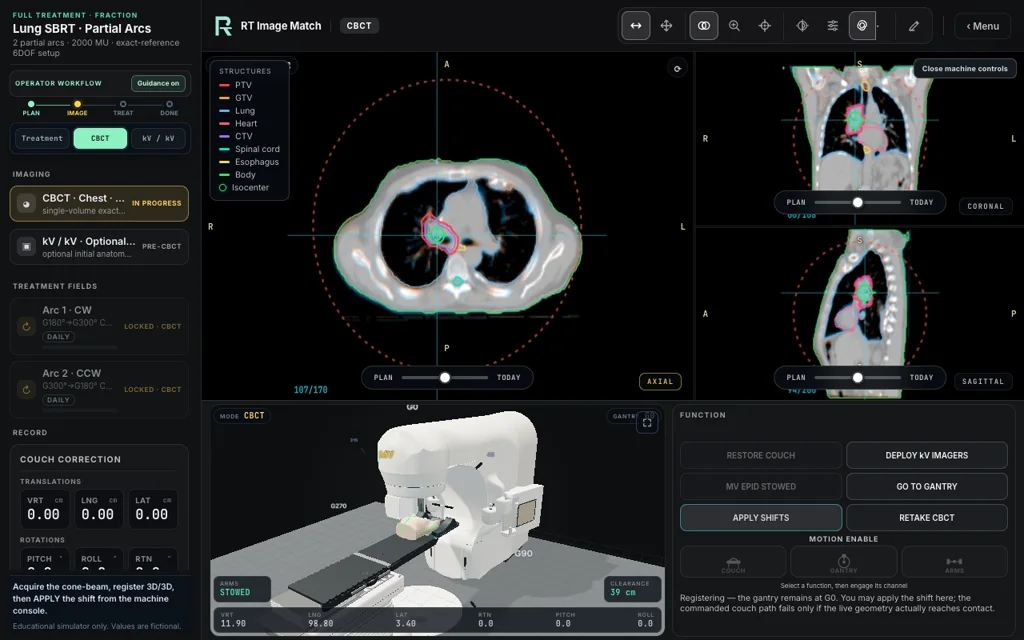
Review the conventional lung prescription, calculated plan and DVH. Optionally use kV/kV for an initial anatomy match, then complete six-degree-of-freedom CBCT registration before seven-field IMRT.
Recorded Full Treatment CBCT matching with the linac in view. The current lesson uses conventional lung IMRT; this earlier screenshot is not a delivered treatment.
Link cranial CBCT and kV setup to both planned MV ports before delivering the opposed fields.
CBCT → kV/kV → linked lateral MV ports → 2 static fields
Imaging opens in the signed-in trainer.
Deliver a fictional 3 Gy fraction from a 30 Gy / 10 fraction conventional whole-brain course. Review the planned skull-base aperture and verify the same CT with CBCT, kV images and both lateral MV ports.
Image-free overview. Source imaging opens only in the signed-in trainer; dose and MU are educational model values.
Complete CBCT setup and two illustrative partial VMAT arcs; matching dose and DVH are unavailable.
teaching prescription → CBCT → 2 partial arcs
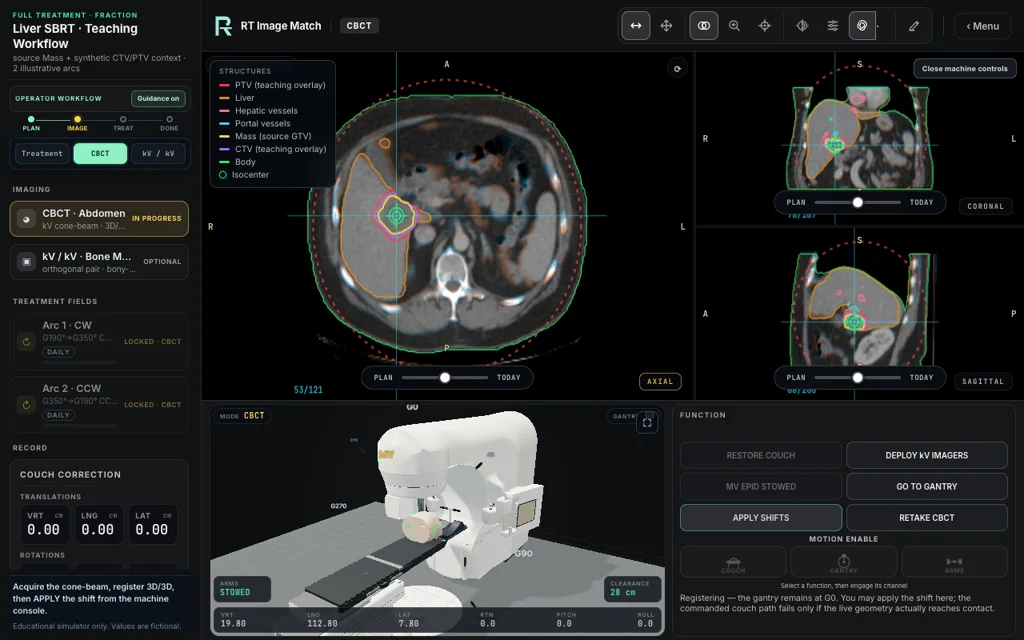
Review the teaching prescription of 50 Gy in five fractions, then complete CBCT setup and two partial VMAT arcs. Optional kV/kV practice remains available. Matching dose and DVH are unavailable.
Recorded Full Treatment CBCT matching with the linac in view. The current lesson uses illustrative VMAT arcs with dose and DVH unavailable; this screenshot is not a delivered treatment.
Apply the kV and both MV-port corrections before simulated delivery unlocks.
SlicerRT plan → kV/kV + both MV ports → fields
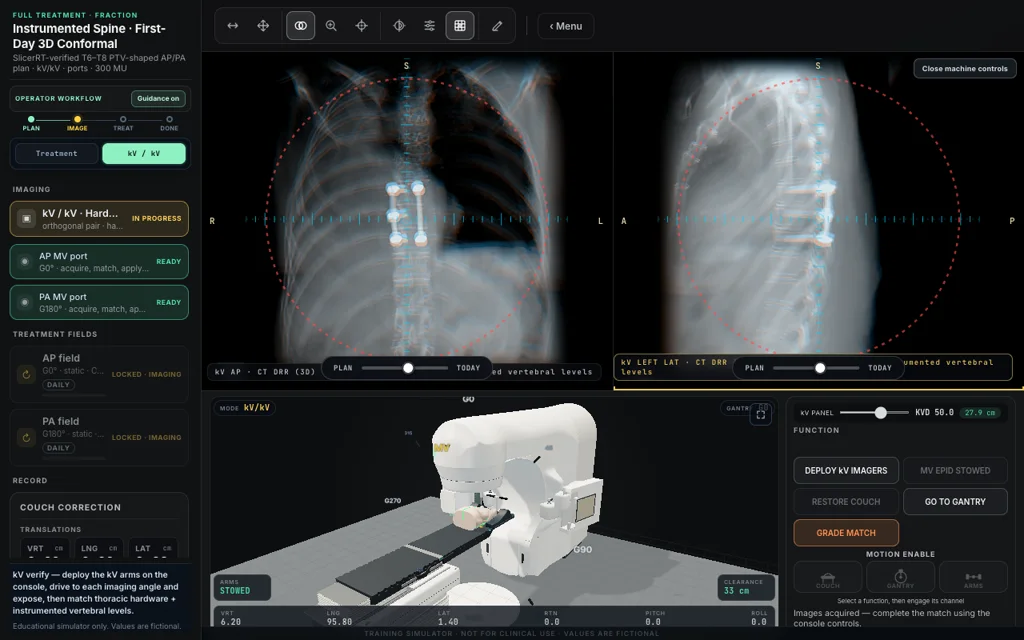
Complete kV/kV verification and the AP and PA MV-port corrections. Simulated delivery unlocks after all three corrections are applied.
Full Treatment kV matching with the linac in view; not a delivered treatment.
Apply the kV and both tangent MV-port corrections before simulated delivery unlocks.
arms-up CT · kV/kV + 2 MV ports → tangents
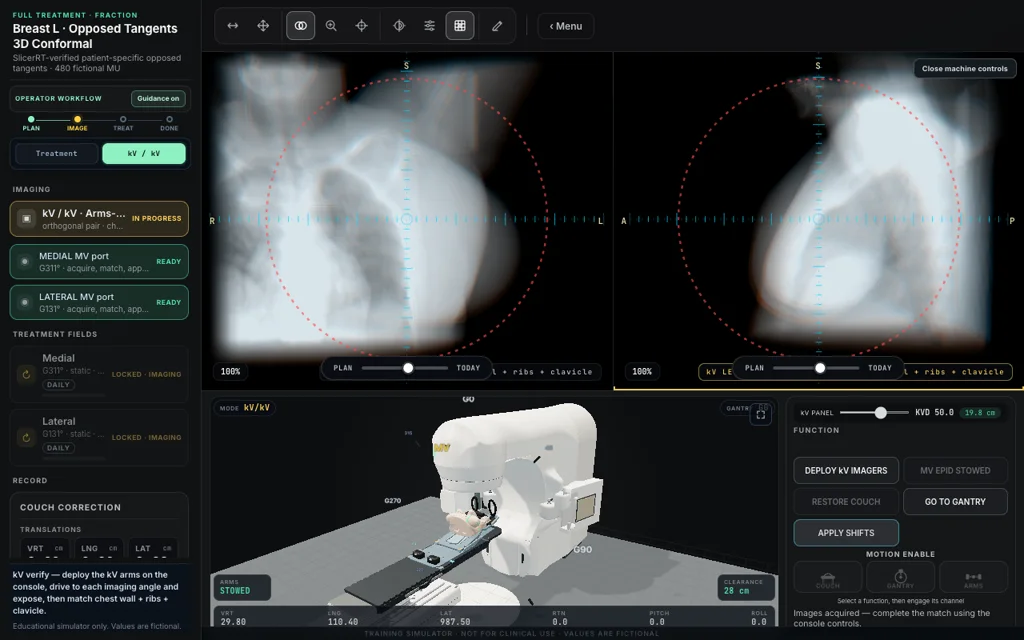
Complete kV/kV verification and both tangent MV-port corrections. Simulated delivery unlocks after all three corrections are applied.
Recorded Full Treatment kV matching with the linac in view. The current lesson adds calculated field-in-field tangents; this earlier screenshot is not a delivered treatment.
Coach breath holds, match clips and cavity, then practise simulated delivery inside the gate.
voice-coached · breath-hold CBCT → dynamic IMRT · 6X
Microphone required
Coach breath holds, match the partial-breast clips and cavity, then practise simulated IMRT delivery inside the breath-hold gate.
Existing partial-breast CBCT reference anatomy. Open the signed-in case for breath-hold acquisition and IMRT controls; this preview is not a delivered treatment.
Practise imaging, beam-output and MLC checks with simulated, ungraded QA results.
Imaging · Output · MLC
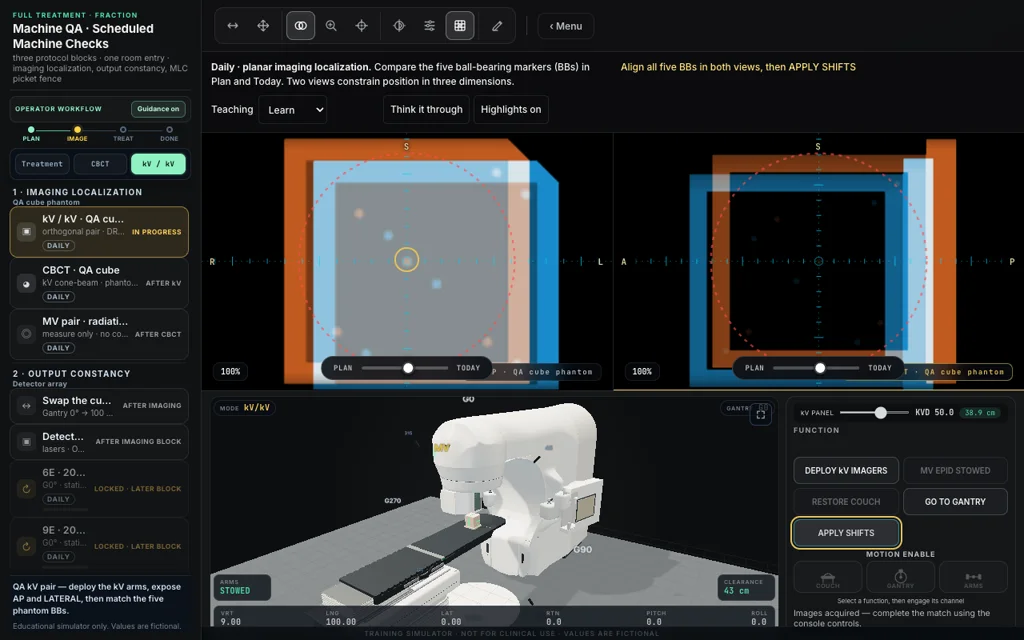
Practice kV, CBCT and MV imaging, check beam output, and analyze an MLC picket-fence film. Simulated results; no grade.
Simulated phantom matching with the linac in view; not a clinical QA measurement.
Match the cranial planning images, then position four arcs with live clearance checks.
planning CT + source PTV · 6DOF CBCT → optional kV/kV → couch kicks
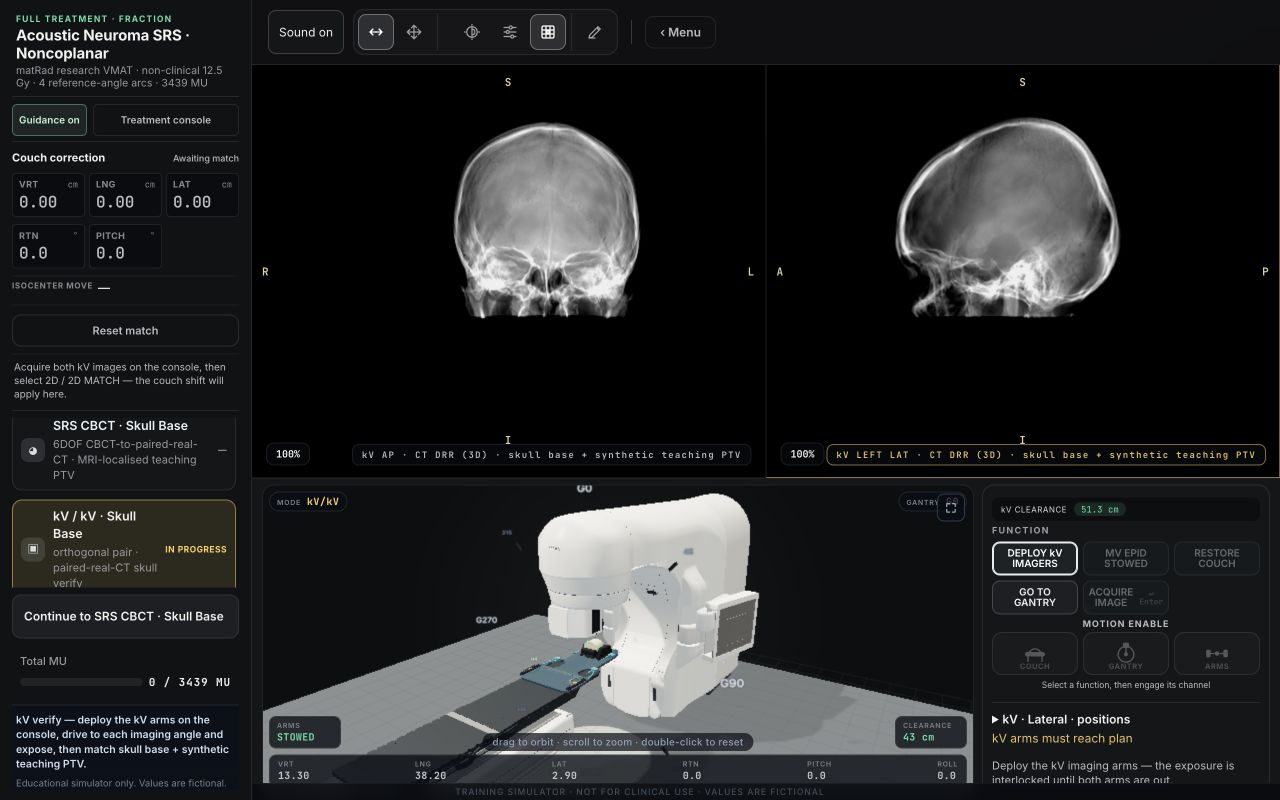
Match the planning CT and source PTV, optionally verify the skull with kV/kV, then position four research VMAT arcs at couch −30°, −60°, +60° and +30° with live clearance checks.
Earlier skull-verification workflow. The current case uses PROTEAS P28 and four arcs.
Calculate a common correction across three stations, then verify each site and deliver two illustrative arcs.
3 kV stations → average shifts → reimage + 2 arcs per site
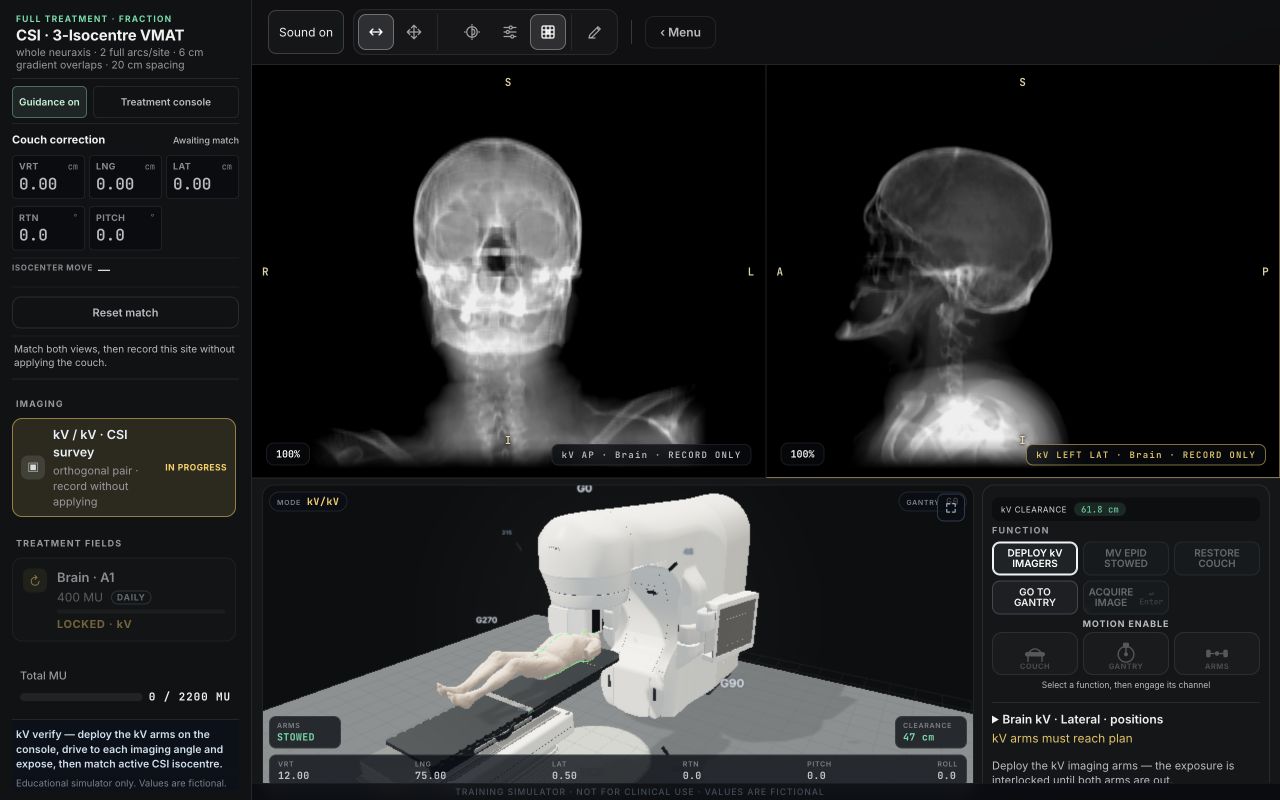
Image three simulated isocentres—one cranial and two spinal—spaced 20 cm apart, calculate the common VRT/LNG/LAT correction, then verify and simulate two 358° VMAT arcs at each site. Matching dose and DVH are unavailable.
Actual Full Treatment Brain-station kV survey preparation, with reference images and the linac in view. Images have not yet been acquired; this is not a delivered treatment.
No cases match this search.
A free account is required to practise. Recorded views contain educational setup values and overlays.

Machine Room
Explore the whole machine, then follow its beam path through the parts inside.
Explore the captured parts:
Scroll to move through the linac.
Captured from the current 3D trainer. Representative teaching geometry. Particle motion is enlarged and slowed. Independent of equipment manufacturers.
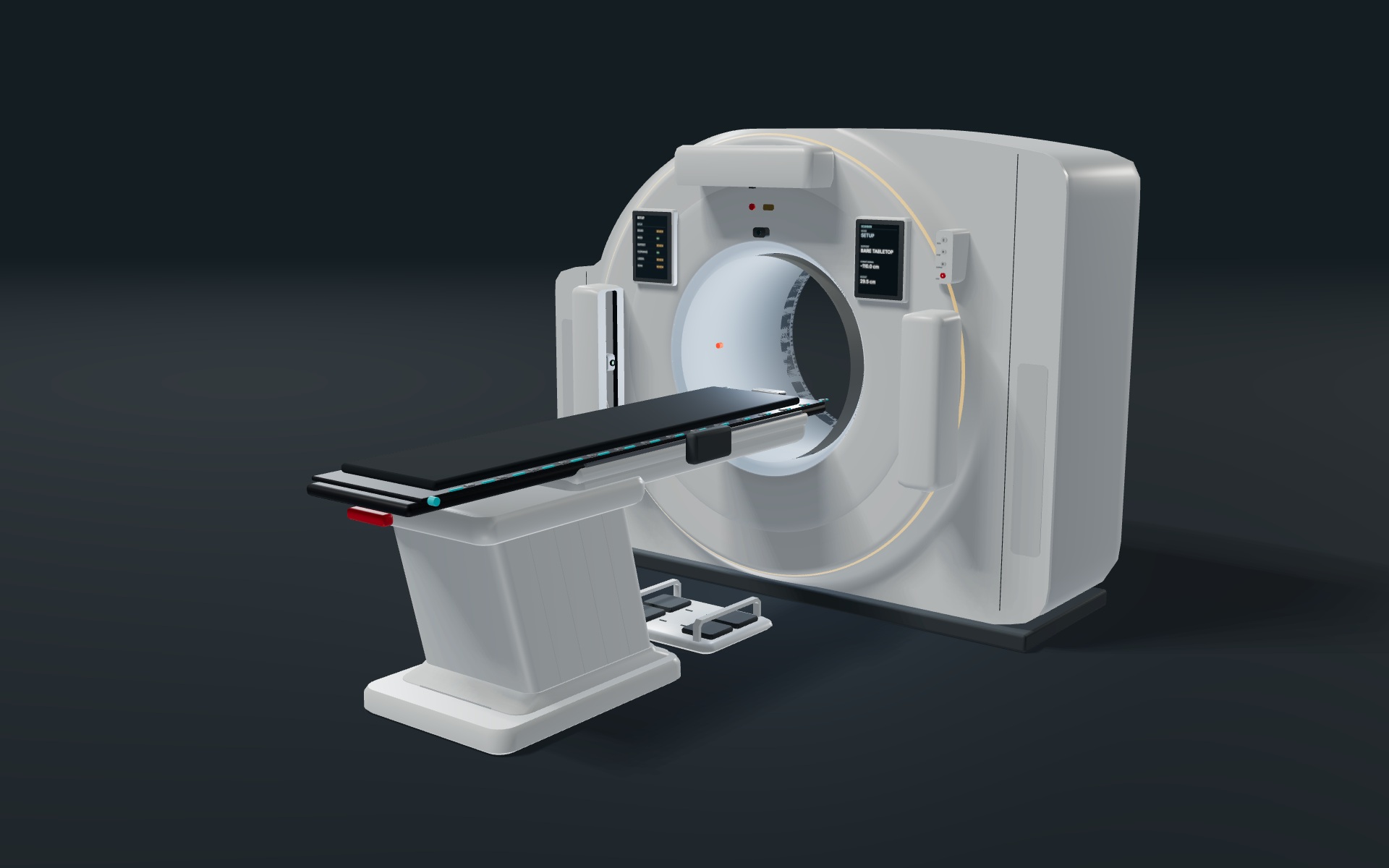
CT Simulation
Position the patient, acquire the scan, and explore virtual simulation.
Open CT SimulationAvailable now and free with an account. Covers standard CT workflows.

Review positioning, support and indexing. Check scanner readiness before acquisition.
View scanner imageInspect the topogram, choose the scan extent and review the acquired images.
View imaging imageExplore image points, geometric beams and patient marking in the virtual simulation workspace.
View virtual simulation imageAssign cases, lead a live demonstration, and give individual feedback.
Organise practice into weeks and review the work before making it available to your class.
Demonstrate a case, see who needs help and respond while the class practises.
Review assigned attempts, see where students need support and continue the discussion with individual feedback.
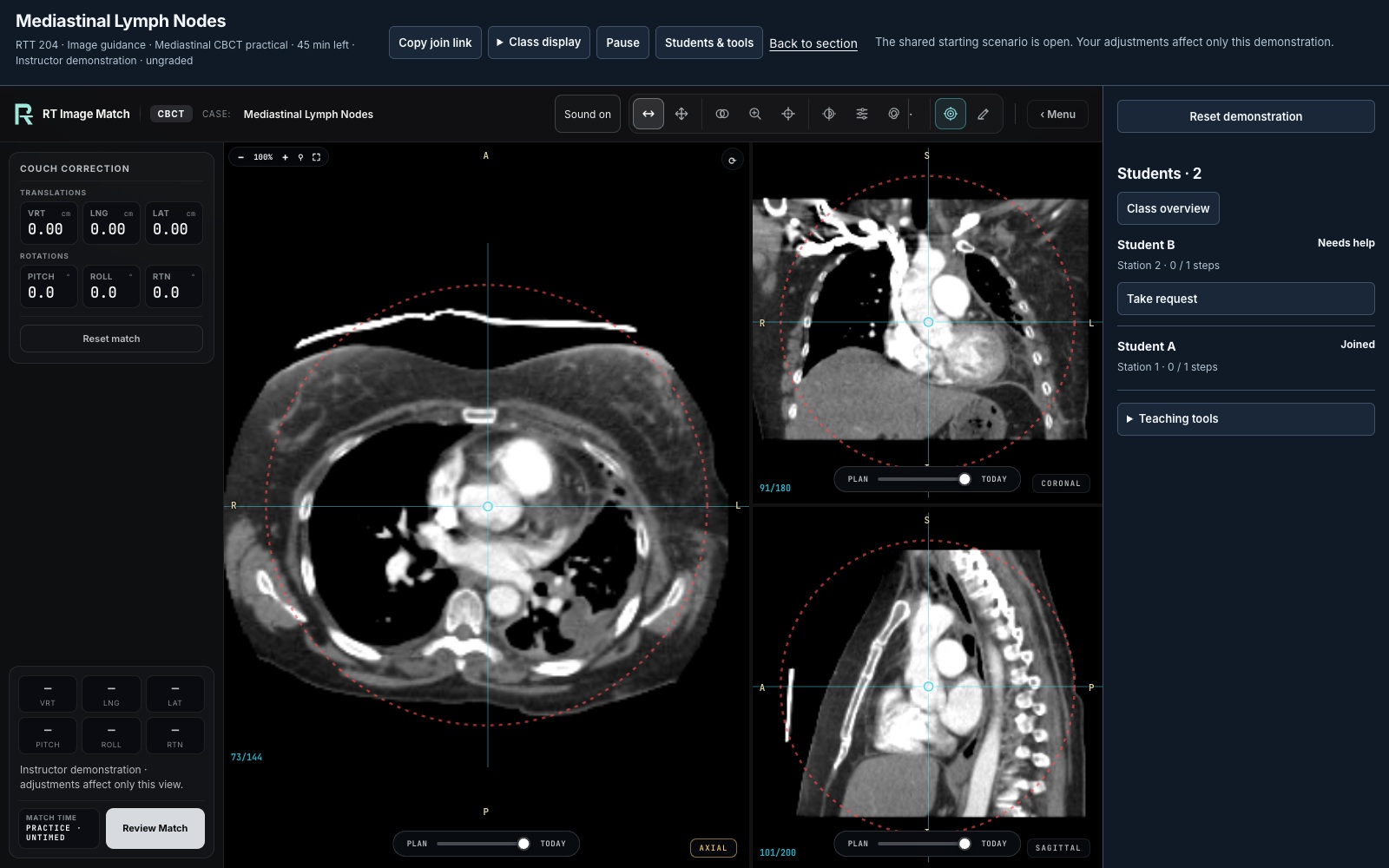
For assigned Classroom work, 2D/2D and CBCT/MR registration attempts are graded on the server. Full Treatment outcomes are labeled as simulator-reported.
Real interface. All class names, learners and results are fictional.
Image-guided radiation therapy, explained step by step.
Read the guidesThe terms used across the trainer and its cases.
Open the glossary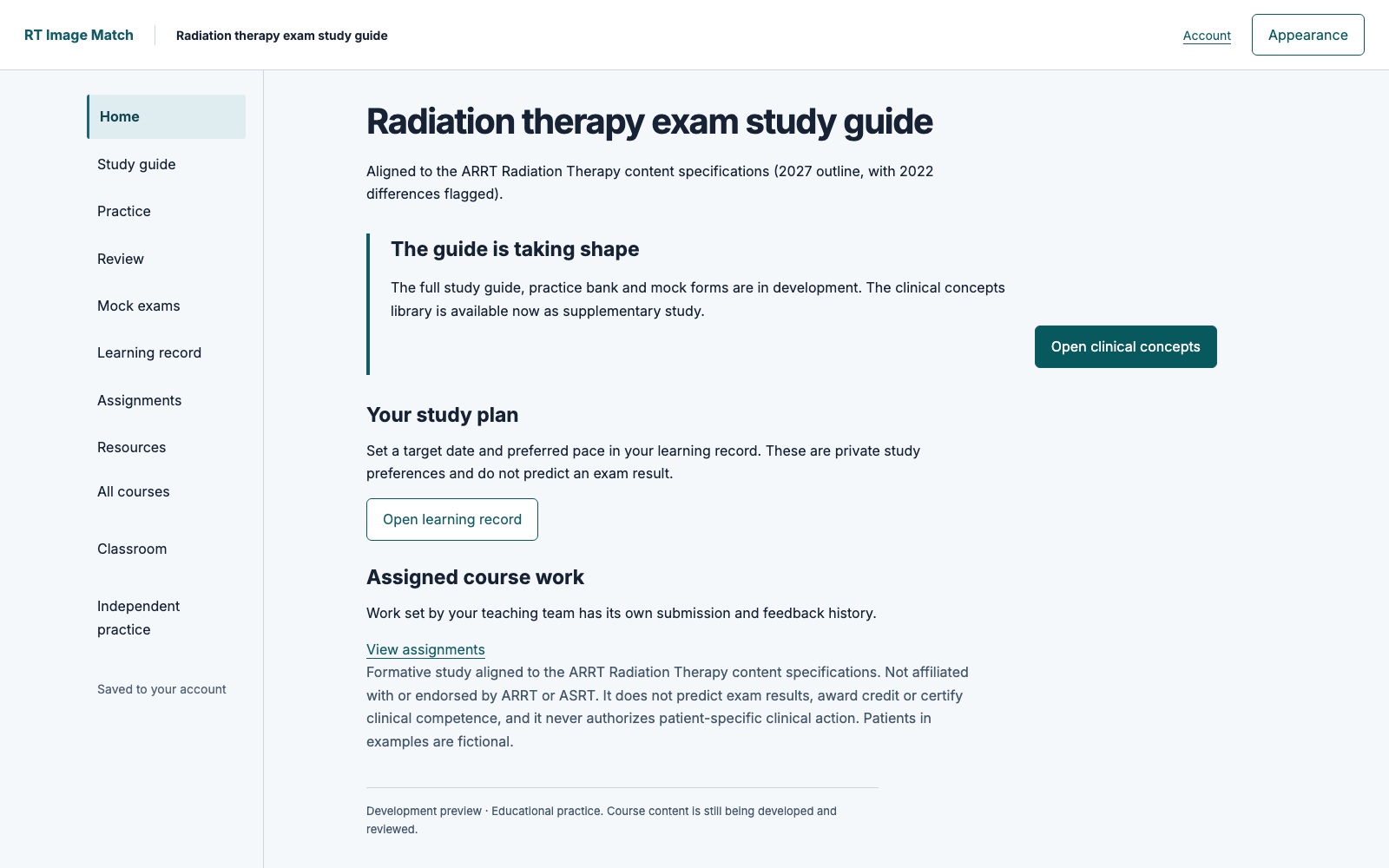
A dedicated space for clinical concepts and structured study, with a personal study plan and learning record.
Independent study resource, not affiliated with ARRT or ASRT.
Course previews use fictional learner records. Public course access is coming soon.
Capture detailsEducational software. No patient uploads.
Yes. The trainer is free during the public beta. A free account is required, and no card is needed.
No. This is an educational simulator, not a medical device, and it must not be used to plan, verify, or deliver clinical treatment. Setup errors, scenarios, and displayed values are simulated, and the trainer does not accept patient uploads.
Yes. A free account is required to open the trainer, access all public beta cases, and save your progress.
It is designed for radiation therapy students, educators, training programs, and clinical staff. It can be used for IGRT registration practice and classroom demonstration without access to a treatment machine.
You can practise 2D/2D registration and three-plane cone-beam CT (CBCT) or magnetic resonance (MR) matching. Available controls and scored degrees of freedom vary by case. Cases include bony anatomy, soft tissue, fiducials and annotated targets, plus connected Full Treatment simulations.
Free with an account, no card needed. An educational simulator, not for clinical use.